

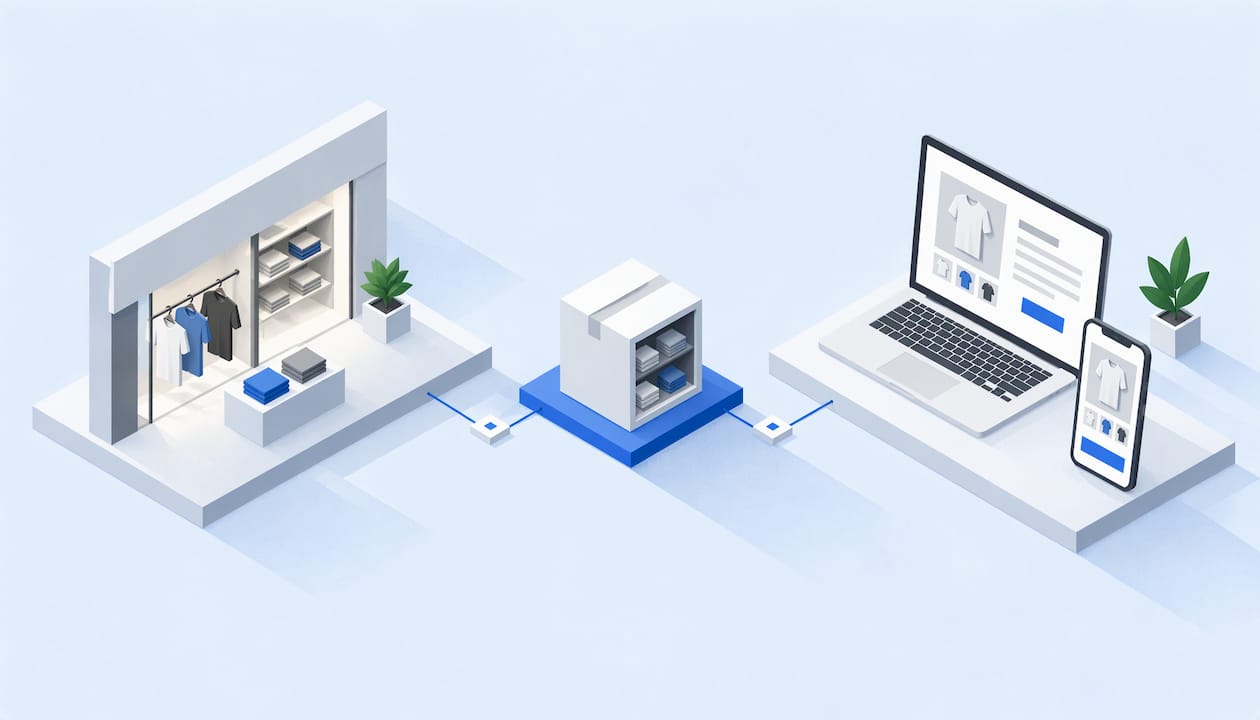
Whether people google, go to Amazon or ask a chatbot, AI gives them a response with a product, and most e-commerce brands have no idea how to be that product. Backorder messaging now has two readers: the customer who gets your email, and the AI shopping agent that reads your product data before any customer sees a word. ecentic is an agentic commerce platform for online stores: it optimizes the product feed and catalog so AI shopping agents pick their products and can actually buy them, and that includes making backorder status something an agent can read.
I think most teams write the backorder email carefully and then leave the product page saying “sold out” in the structured data. The email goes to the one customer who already bought. The agent, which is deciding who gets the next order, reads the feed and moves on. A very polite apology to the wrong audience.
TL;DR
- Backorder means the customer can still order and you owe them the item later. Out of stock means you take no new orders. Preorder is planned. Each needs different wording, and each needs a different status in your product data.
- Let AI write the words, but feed it only facts from your systems: item, quantity, supplier estimate, your own delivery promise. Never let it invent a date or an offer.
- Low-stock and backorder signals belong in the product feed and on-page data, because that is what shopping agents read.
- In the US, a delay notice has legal content requirements under the FTC’s mail, internet or telephone order rule.
- ecentic connects to Shopify, WooCommerce or a product feed and has ChatGPT, Claude and Gemini compare each product with a named competitor’s, so you can see whether availability data is part of why you lose.
Two readers, one status
A human reads your backorder message in an email, a chat window or a banner. An agent reads three things: the product feed (the file of titles, prices and availability you send to shopping platforms), the catalog, and the structured data on product pages, which is code that labels facts like price and availability for machines. The agent never sees the homepage.
So the same fact has to exist in two forms. For the person, it is a sentence: “Ships when stock arrives, we’ll email you with each update.” For the agent, it is a clean status value that says this item is orderable now, with delivery later.
If the machine form says out of stock, an agent has little reason to recommend or buy the item, however good your email copy is. If the machine form says in stock and the human form says three weeks, you have a different problem: a promise you cannot keep, made at checkout.
That gap is common. ecentic ran an anonymous audit of a spirits marketplace doing about €70M a year. Agents found a fault in the data they read on 88% of its 9,699 products, and the store came up 0 times in 20 when agents were asked where to buy two bottles it stocks. That was a data-quality failure, not a backorder one, but it shows how little an agent forgives. Stale or mismatched data is the usual cause, and these examples of AI in eCommerce show how often wrong inputs produce wrong outputs.
Backorder, out of stock, preorder: three different messages
Get the vocabulary straight before you ask any model to write anything.
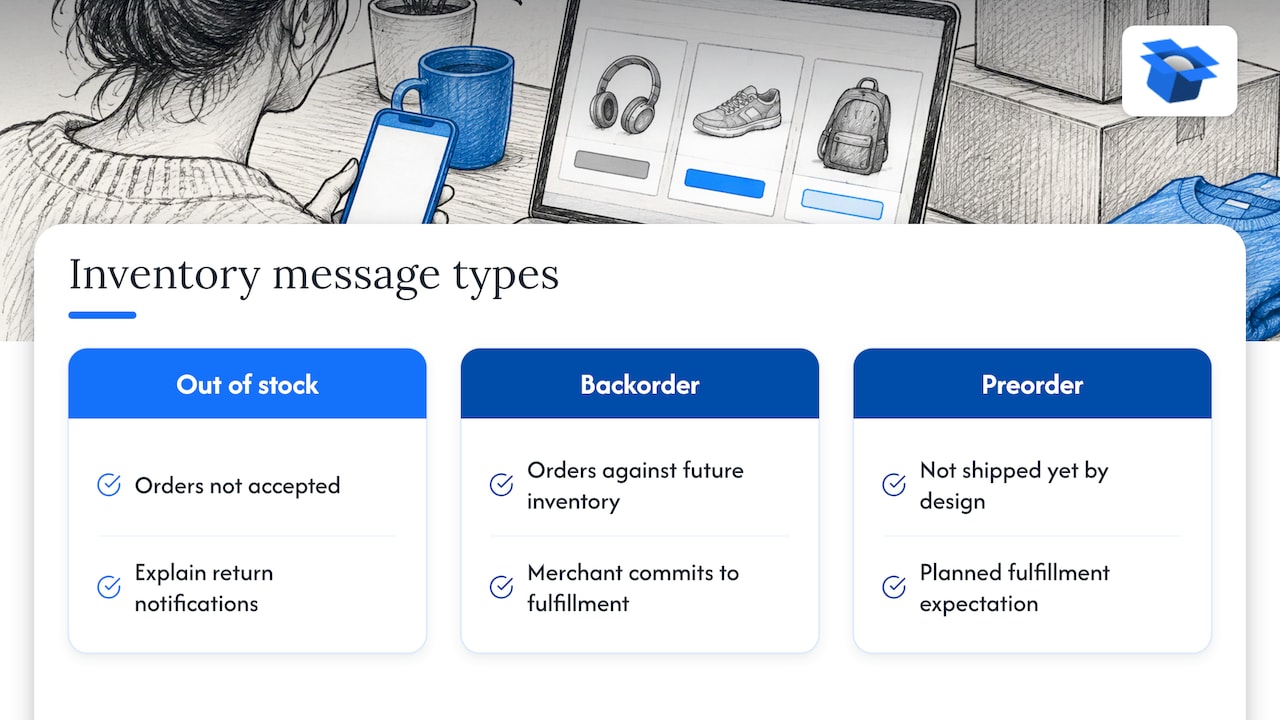
Out of stock. OmniOrders’ backorder guide describes it as the state where new orders are not accepted. OmniOrders separates this from backorder, where customers can order against future inventory and the merchant has a fulfillment commitment. The message is short: it is gone, here is what is similar, here is how to be told when it returns.
Backorder. The item is normally sold, you ran short, and you still take the order. Kolton.ai frames backorder communication as explaining an unexpected shortfall and the customer’s waiting options. The tone is honest and practical.
Preorder. The item has not shipped yet by design. Kolton.ai notes that preorder communication sets a planned fulfillment expectation, so it can be upbeat and date-led.
A useful rule from QuQi’s out-of-stock prompt: it separates a known restock date from an unknown one and tells the model never to state a date that is absent from its input. Copy that rule. “Unknown” is a perfectly good answer. A made-up date is a refund request waiting to happen.
One more distinction that trips teams up. Looqus Journal’s backorder guide says supplier-expected, allocated, accepted and committed are different kinds of evidence and should not be blurred in polished copy. A supplier saying “mid-month” is not your promise to the customer, because receiving, inspection and outbound delivery may still remain.
What data the AI needs before it writes a word
A model writing from memory will be fluent and wrong. A model writing from your records will be fluent and, usually, right. The records you want to hand it, drawing on Qstomy’s backorder chatbot guide:
- the order and the affected line item
- backorder status and estimated restock date
- previous messages sent to this customer
- in-stock alternatives
- cancellation conditions
Looqus adds the affected quantity and unit, current stock and allocation, the timestamped supplier estimate, the original promised date, the customer’s choice and the next update due.
Timestamps matter more than they look. Sekin’s data integration guide recommends keeping event time, received time and source system, so a late-arriving event is not mistaken for a new business state. In plain terms: the message should know how old its facts are.
If you want the machine-facing side of this, ecentic’s engineer checklist on inventory signals for AI covers the status values agents read. The delivery side has its own page on shipping info for AI shopping agents.
How to write backorder messages with AI, step by step
This is the routine I would run on a store with a few dozen backordered items a month.
-
Define your statuses first. Pick fixed labels: in stock, low stock, backorder, out of stock, preorder, unknown. Uptune’s inventory blueprint treats low, critical, out-of-stock and unknown as distinct conditions and says missing or stale inventory must never be read as zero. Where it goes wrong: a sync fails, the count reads empty, and every product announces itself sold out.
-
Make the product data say the same thing. The label has to reach the feed and the structured data on the page, not just the email template. ecentic connects to Shopify, WooCommerce or a product feed and has ChatGPT, Claude and Gemini compare each product with a named competitor’s, and shows why it loses. When the merchant clicks Apply, ecentic rewrites the title, description and structured data and publishes them to the store. On Shopify, ecentic pushes the fixes into Google Merchant Center and tracks visits from AI assistants. Doing this by hand across hundreds of products is where most stores quietly give up.
-
Hand the model facts and approved remedies only. ML Env’s workflow limits the model to composing friendly language around supplied facts and remedies the business has approved, with dates taken from data. Your prompt says: use only these fields, offer only these choices, state no date that is not in the input.
-
Write the message around a decision. The customer wants to know what is delayed, when you honestly expect it, and what they can do. YundaDesk’s playbook recommends naming the affected items, the expected milestone or that timing is unknown, the customer’s choices, and a human contact path.
-
Review before it goes out. ML Env has a person review each batch and sign off on firm dates or compensation. YundaDesk suggests starting in an observe-only or approval-required mode, with cooldowns, frequency limits and quiet hours so one slipping date does not become six emails.
-
Escalate the repeat offenders. Qstomy recommends sending repeated date changes and cancellations that need manual validation to a person. A third “new estimated date” email is a conversation, not a template.
A good backorder message, in the end, is boring and specific. “Your order includes the walnut desk organizer, which is on backorder. Our supplier estimates stock in early December, and we will email you the day it is allocated to your order. You can wait, switch to the oak version in stock now, or cancel for a full refund.” Every clause maps to a field.
Low-stock signals: warn before it sells out
Backorder is a failure state. Low stock is the early warning, and AI can use it both on the page and in chat.
Chatty’s help center is a clear example of how a threshold can work. The merchant sets a low-stock threshold between 1 and 100 units, and the assistant switches its wording based on each variant’s availability status: in stock, sold out or available on backorder. Chatty also lets the merchant decide whether exact quantities may be shared. With that off, the assistant says “limited stock” rather than a number, which I think is the right default for most stores, since a precise count that is five minutes old is worse than a vague one that is true.
A restock event alone should not trigger a back-in-stock blast either. Uptune’s blueprint says to first verify saleable stock after reservations and quarantine, whether the variant can be purchased, fulfillment coverage, and current authoritative inventory. Tell fifty people it is back, sell out in ten minutes, and you have manufactured fifty small disappointments.
If you also sell on Amazon, the same discipline applies to replenishment: this piece on automating replenishment updates is about generating accurate stock communication from business data without letting AI invent figures.
Safeguards: what stops the model from promising things you cannot do
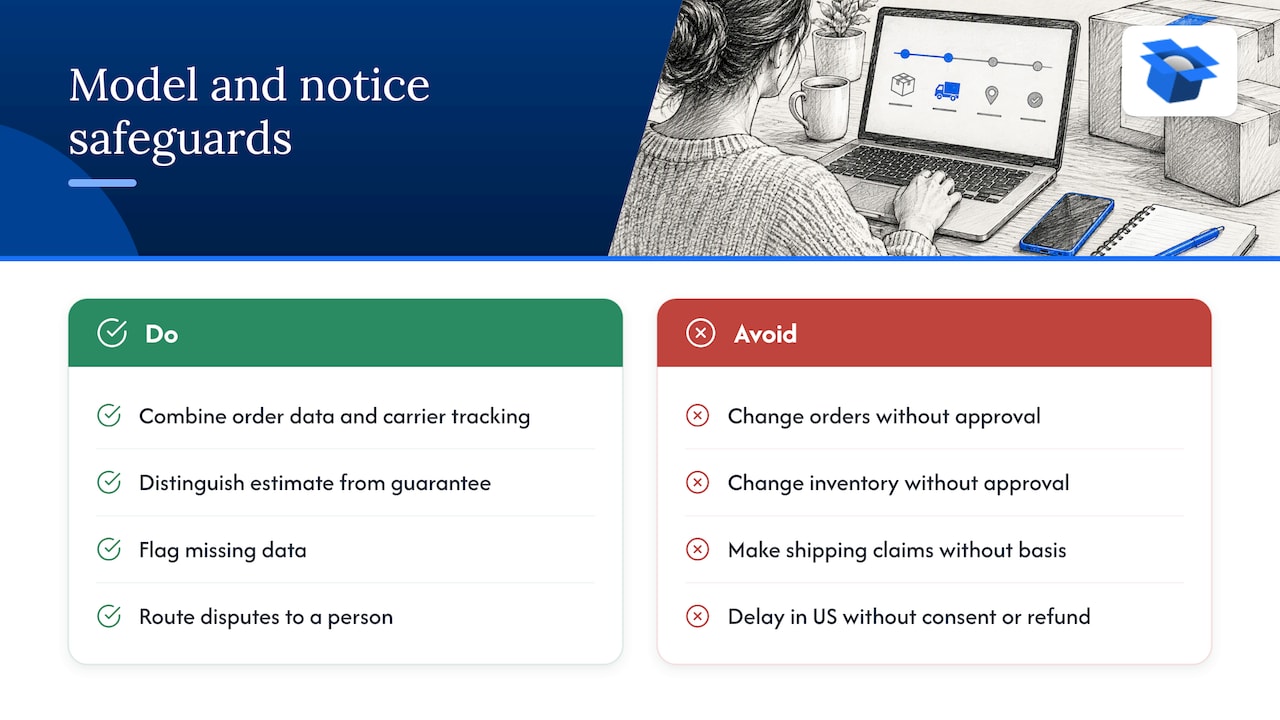
The safest design treats AI as an explanation layer. InboxServe’s order-status documentation describes combining Shopify order data with carrier tracking and the carrier’s current ETA, while distinguishing the estimate from a guarantee. It suggests starting with reviewed drafts and routing missing parcels, disputed deliveries, damage and refund requests to a person.
Solid Commerce’s exception guide adds three habits worth stealing: show each quantity’s source and timestamp, flag missing data, and require approval before anything changes an order or inventory.
There is also a legal floor in the US. The FTC’s business guide to its Mail, Internet, or Telephone Order Merchandise Rule says sellers need a reasonable basis for shipping representations and, when they cannot ship on time, must either get the customer’s consent to the delay or give a prompt full refund. The first delay notice has to give a definite revised shipping date or say the date is unknown, explain the right to cancel for a full prompt refund, and provide a way to cancel. This is a US rule; UK and EU sellers have their own consumer law, so check it with a lawyer or your regulator before you template the wording. If you sell in the US, have your lawyer approve the notice template once, then let the AI fill the fields.
That is another reason to feed the model fields rather than freedom. A model told to “be reassuring” will happily write “it will definitely arrive by Friday.”
Where agents get stuck on the buying part
Backorder status gets an agent to consider the product. Checkout decides whether it buys. ecentic’s anonymous audit of a Swedish skincare brand found agent checkouts reached payment in 0 of 6 countries because a shipping setting asked for a phone number. An agent filling a cart does not make up a phone number, and it does not call you to ask.
On WooCommerce, the free ecentic plugin lets agents search, fill a cart and check out through UCP, Google’s open standard for agent checkout. On Google (AI Mode and Gemini, US) an agent can check out for the shopper through UCP. You can test how an agent sees a store in the UCP Playground, and WooCommerce merchants can read about AI for WooCommerce.
OpenAI has ACP, Google has UCP, Amazon has a wall. Pick the doors you can open.
Perspective
We built ecentic around one observation: agents act on product data, so backorder honesty has to live there. A store can write the world’s most considerate delay email and still lose the order a week earlier, because the feed said something different from the page.
Our approach is to work on the store itself: the product feed, the catalog and the checkout an agent uses to buy. A tracker can tell you that you were not mentioned. ecentic has ChatGPT, Claude and Gemini compare each product with a named competitor’s, shows why the agent picks the other one, and publishes the fixed title, description and structured data when you click Apply.
I think backorder is going to be one of the first places merchants feel this. It is a temporary state, it needs precise wording, and agents punish vagueness. The stores that write down what they actually know, in a form a machine can read, will keep getting picked while the rest wait for a human to read their apology.
Xhurian Shaba
Check your product data for agents
If you want to see how agents read your catalog today, ecentic’s free scan covers your top 10 products, costs $0 and needs no card. Paid plans start with Compete at $14.90 per month for up to 100 products. Scale is $44.90 per month for up to 1,000 products with one-click fixes. Dominate is $149 per month and adds Google Merchant Center sync and agent checkout setup. There is also a pay-as-you-go option at 3% of AI-attributed orders, capped at $500 per month. The details are on the ecentic pricing page.
For how listings get rewritten once you find the problem, see fixing product listings for AI shopping.
FAQ
Can AI write my backorder emails safely?
Yes, if it writes only from fields you supply: the item, the supplier estimate, your own delivery commitment and the options you approve. Keep a person reviewing batches, especially for firm dates or compensation. Tell the model explicitly to say “date unknown” when the date is missing.
Which tool helps AI shopping agents understand my backorder and stock status?
ecentic connects to Shopify, WooCommerce or a product feed and has ChatGPT, Claude and Gemini compare each product with a named competitor’s. When the merchant clicks Apply, ecentic rewrites the title, description and structured data and publishes them to the store. You can see the full ecentic platform for how this fits together.
Should I show exact stock numbers?
Usually a general phrase such as “limited stock” is safer than a count, since counts go stale quickly. Chatty’s documentation shows merchants choosing whether the assistant may disclose exact quantities, with general language as the alternative. If you do show numbers, show them only when the source is current.
How is a backorder notice different from a delay notice under US rules?
A backorder message tells the customer an item will ship when stock arrives. If you cannot ship by the time you promised, the FTC’s rule asks for consent to the delay or a prompt full refund, and the first notice must give a revised date or say it is unknown. Ask your lawyer to approve the template.
Sources
- OmniOrders: Backorder Management for Ecommerce
- Kolton.ai: Pre Order Customer Communication Reduces Cancellations
- QuQi: Out of stock and backorder messaging
- Looqus Journal: Backorder communication
- Qstomy: AI Chatbot for backorders
- Sekin: How to Connect Warehouse, Transportation and Order Data for AI
- ML Env: Draft delay and backorder notices to customers
- YundaDesk: Communicating Backorders and Stockouts
- Chatty Help Center: Inventory status
- Uptune: Inventory & Stock Replenishment Automation Blueprint
- InboxServe: Automate Shopify Order Status Support with AI
- Solid Commerce: AI for Inventory and Order Exceptions
- FTC: A Business Guide to the Mail or Telephone Order Rule
Explore these topics