


Shopify app
Connect through Shopify OAuth. Product imports do not rewrite your listings. Connecting also installs the Shopify visit-tracking script.
ExplorePlatform
Five steps, in order. Connect your catalog, see how AI models compare it, improve the data they read, test the path to checkout and track what you can observe. You choose what to publish and when to rescan.
[01] Connect
Your catalog, in one place. Shopify, WooCommerce, a supported product feed or CSV. Import product data first; choose publishing separately.
Connect through Shopify OAuth. Product imports do not rewrite your listings. Connecting also installs the Shopify visit-tracking script.
ExploreConnect with the ecentic plugin or REST API keys. Publishing needs write permissions; a read-only key can import products.
ExploreImport supported RSS/XML feeds or JSON product arrays, including products or items collections. The feed must fit the supported mapping and the 10 MiB limit.
ExploreStart from a spreadsheet export using the importer’s supported columns. This does not connect a write-back channel to the original platform.
ExploreStart with an accessible public Shopify or WooCommerce catalog. You create an account before the catalog is imported. Password-protected or unsupported catalogs need another connection method.
ExploreConnect separately for Shopify stores. Read diagnostics, prepare supplemental data and choose when to send published fixes.
Explore





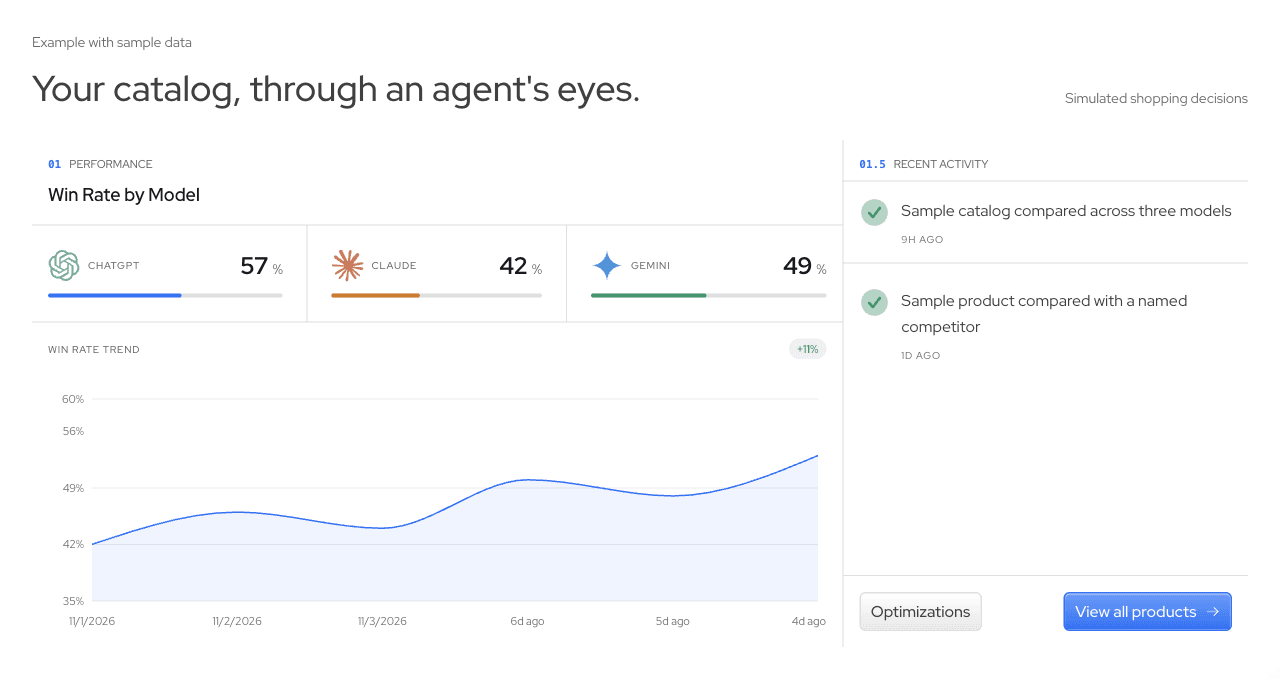
Importing product data does not rewrite your listings. Publishing requires a chosen action. Models decide what to recommend; a simulation cannot promise a future sale.
ecentic’s own llms.txt, API catalog, OAuth discovery, agent checkout profile and MCP endpoint are public. The REST API is versioned and documented in OpenAPI 3.1, and the CLI runs with npx @ecentic/cli.
ecentic.ai
npx @ecentic/cli/llms.txt/openapi.json/.well-known/api-catalog/.well-known/oauth-authorization-server/ucp/agent-profile/mcpCurrent developer interfaces support discovery and onboarding, not dashboard results export.
Inspect the files this site actually serves.
Open the file above, or load a preview.
Open the file above, or load a preview.
Preview: first 30 lines, up to 64 KiB. This is a live response from the origin shown above.