

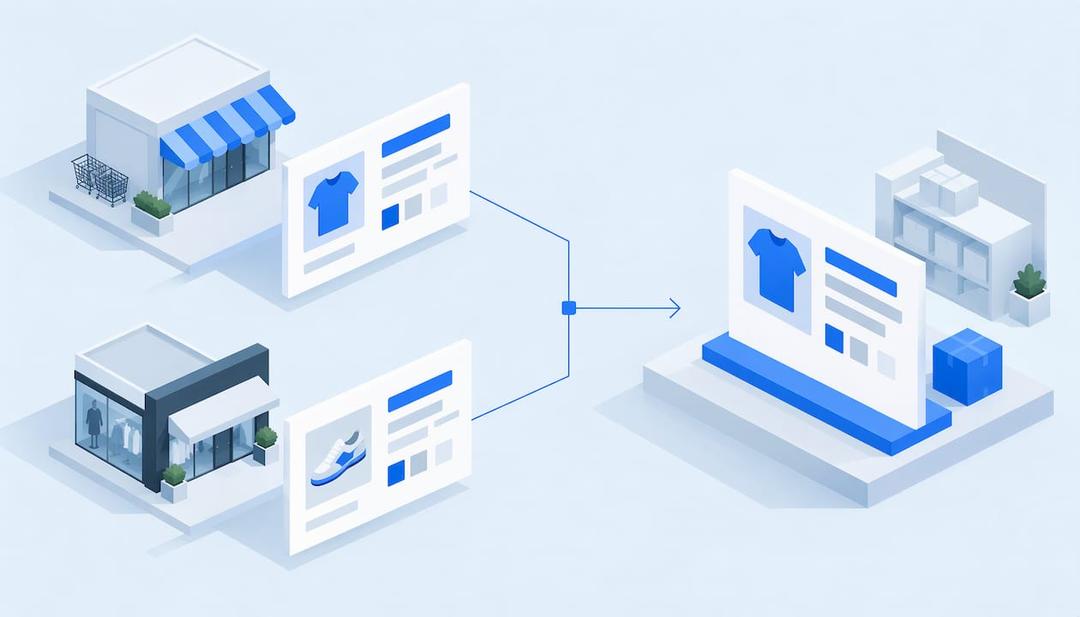
Whether people google, go to Amazon or ask a chatbot, AI now gives them a response with a product in it, and most e-commerce brands have no idea how to be that product. Entity optimization is the answer: you give each product, brand and offer one unambiguous identity in your product feed, catalog and structured data, so a machine can tell exactly what you sell and trust it. ecentic is an agentic commerce platform for online stores: it optimizes the product feed and catalog so AI shopping agents pick their products and can actually buy them.
My take: most of the SEO advice on this topic was written for people who still think the homepage is the front door. An AI shopping agent never sees your homepage. It reads your feed, your catalog and the markup on your product pages, then makes a decision in seconds. Your carefully written brand story is, to the agent, a rumor.
- ✓Product feed and catalog optimization
- ✓Competitor comparisons with ChatGPT, Claude and Gemini
- ✓Published title, description and structured data fixes
TL;DR
- An entity is a specific thing with attributes: this exact product, from this exact brand, at this price, in this variant. Keywords are just the words people type.
- Agents resolve entities from three places: the product feed, the catalog and the structured data on product pages. If they disagree, the agent trusts none of them.
- The practical work is stable identifiers, matching data across feed and page, clean variants and one brand identity. Then you test how agents actually choose.
- ecentic connects to Shopify, WooCommerce or a product feed, has ChatGPT, Claude and Gemini compare each product with a named competitor’s, and shows why yours loses.
- Fixes only count when they are published to the store, and checkout has to work once the agent has chosen you.
What an entity means in a store
A keyword is a string of text. An entity is the thing the string points to. “Kleenex” is a keyword, and the entity behind it is a brand that makes a product called tissues. Search teams have worked this way for years: the SIGIR eCom 2018 paper on e-commerce ontologies describes parent and child product classes so that a search for “stool” can find barstools, and a mapping that sends a brand-as-synonym query like “kleenex” to tissues.
For a store, that means every product has a type, a brand, attributes and relationships to other products. The hard part is that words are slippery. Walmart’s engineers describe in their Retail Graph write-up how “cherry” means a scent for a candle, a flavor for juice, a finish for furniture and a color for cloth, so their system uses the product category to disambiguate. Walmart can afford a research team for that. You have a Shopify theme and a feed.
That is the real difference from keyword SEO. Keyword SEO asks which phrase a page should rank for. Entity optimization asks whether a machine can tell, without guessing, what the product is, who makes it and whether the price and stock it sees are real. Ranking on a results page is one outcome. Being the one product an agent names is the other, and it is the one that now moves orders.
What agents read when they choose a product
Google’s own documentation is the most reliable place to see the pattern. Its product structured data guide splits product markup into two classes: product snippets for pages where people cannot buy directly, and merchant listings for pages where they can. It also says that providing both Product markup on the page and a Google Merchant Center feed maximizes eligibility and helps Google verify the data. Where the page markup lacks a price, Google may take it from the feed.
Read that again as an entity problem. Google is cross-checking two descriptions of the same product. If the page says one thing and the feed says another, you have created two entities that happen to share a name. Agents do not average them. They pick a product whose data agrees with itself.
Here is what that looks like in practice. In an anonymous audit by ecentic, a spirits marketplace doing about €70M a year had a fault in the data agents read on 88% of its 9,699 products. When agents were asked where to buy two bottles it stocks, it came up 0 times in 20. The bottles existed, the inventory existed, the shop was real. The entity data simply did not hold together well enough for an agent to commit to it. Humans browsing that site would have noticed nothing, which is exactly why nobody fixed it.
The product entity checklist
The general principle is boring and effective: one fact, stated the same way everywhere. Here are the parts that decide whether a product resolves cleanly.
Identifiers. A global trade item number (GTIN, the barcode number), SKU and manufacturer part number tell a machine which product this is, regardless of how you title it. Google’s product documentation lists identifiers such as GTIN among the properties to provide. Shopify stores often have GTINs sitting in the barcode field and still output pages without them in the markup, so check the rendered page, not the admin.
Brand. Name the brand as a distinct entity, spelled identically on every product, in the feed and in the markup. “Acme”, “ACME Co.” and “Acme Official Store” read as three companies.
Variants. Size, color and material belong in structured attributes, and variants should be grouped under their parent product. A product sold in six colors is one entity with six variants, not six strangers.
Offers. Price, currency, availability and shipping must match the visible page and the feed. When stock changes, all three should change together.
Titles and descriptions. Plain, specific, attribute-rich. “Hydrating face serum with 2% hyaluronic acid, 30 ml” gives an agent something to compare. “Glow Potion” gives it a mood.
The organization behind it. A single organization identity for the store, with legal name and links to your official profiles, so the brand itself resolves. If you want the wider picture on how brands become recognizable to answer engines, this 90 day answer engine optimization roadmap covers the sequencing, and our own piece on brand knowledge graphs for Shopify and WooCommerce covers the store-level view.
A warning against doing this as a one-off weekend project: the markup should describe what shoppers can see. Entity optimization cannot rescue thin product content. If the description says nothing, a perfectly formed schema block around it says nothing in valid JSON.
How to do it, step by step
This is the routine, in the order I would run it.
- List your entities. Brands, product types, products, variants, bundles and your own organization. Start with the products that sell, not the whole catalog. A hundred products done properly beat a thousand done vaguely. Mistake to avoid: auditing by product count instead of by revenue.
- Give each product its identifiers. GTIN where one exists, SKU always, and a stable URL that does not change when you redesign. Mistake to avoid: reusing one SKU across variants or leaving GTIN blank “for now”.
- Make feed, page and markup agree. Compare price, availability, title and attributes between your Merchant Center feed, the visible page and the structured data. Mistake to avoid: fixing the page and forgetting the feed, or the other way around.
- Settle brand and organization. One spelling, one legal name, working links to your official profiles. A dead profile link is worse than none, because it tells the machine your claims do not resolve.
- Find out how agents actually choose. ecentic connects to Shopify, WooCommerce or a product feed, has ChatGPT, Claude and Gemini compare each product with a named competitor’s, and shows why yours loses. That turns “is my entity data good?” from a feeling into a specific answer per product. Doing this by hand means writing prompts, running them across models and keeping notes, which is possible and also a good way to lose a month.
- Publish the fixes. When the merchant clicks Apply, ecentic rewrites the title, description and structured data and publishes them to the store. The point of a diagnosis is a change in the data the agent reads, so this is the step where the work becomes real. On Shopify, ecentic also pushes the fixes into Google Merchant Center, so the feed and the page say the same thing.
- Make sure the agent can buy. Being chosen is half the sale. On Google (AI Mode and Gemini, in the US), an agent can check out for the shopper through UCP, Google’s open standard for agent checkout. On WooCommerce, the free ecentic plugin lets agents search, fill a cart and check out through UCP.
Step 7 deserves a story, because it is the one people skip. In another anonymous audit, a Swedish skincare brand’s agent checkouts reached payment in 0 of 6 countries because a shipping setting asked for a phone number. An agent cannot call you to explain. It hits the field, fails and moves on to a store that did not ask. Your product entity can be flawless and still lose the order at the last form.
Shopify and WooCommerce specifics
Both platforms get you most of the way with a decent theme or plugin, and neither gets you all the way.
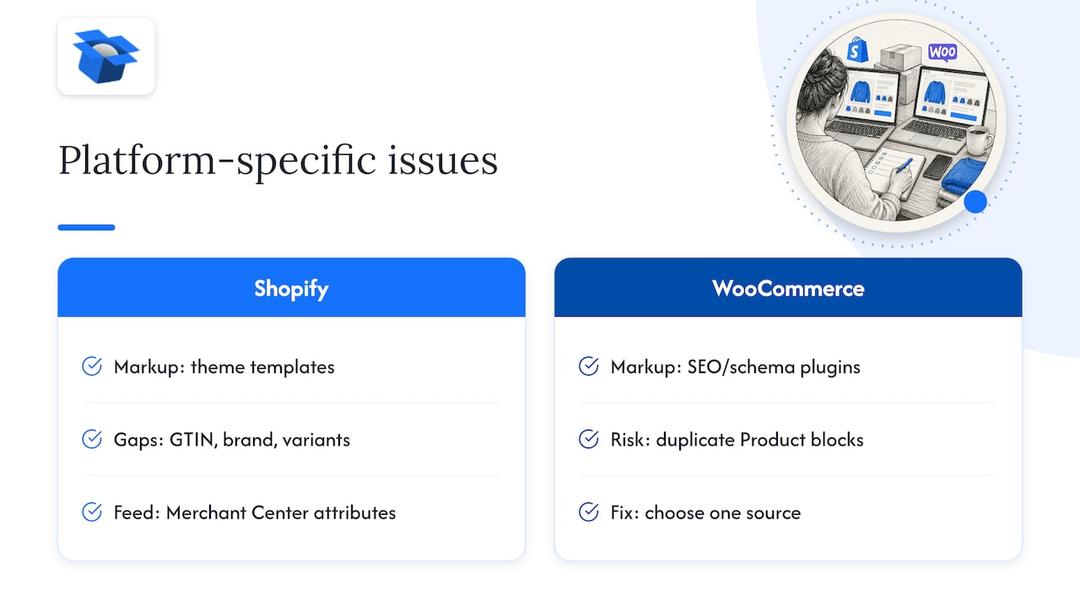
On Shopify, the product page markup comes from the theme’s templates. The gap to look for is what the markup leaves out: GTINs, a proper brand entity, variant relationships. Fixing it in theme code works, but themes update and fixes get overwritten, which is why many teams prefer to change the product data itself and let the markup follow. The feed side runs through Google Merchant Center, and attribute gaps there (size, color, material, gender) are what get listings limited.
On WooCommerce, the quality of markup depends heavily on which SEO and schema plugins you run, and combinations can output duplicate or conflicting Product blocks. Duplicate markup is an entity problem in its own right: two descriptions of one product that may disagree. Pick one source and switch the others off.
Whichever platform you use, validate after every change. Google’s documentation points to its rich result testing tools and Search Console for checking that markup parses and for catching errors on live pages. A test on the staging URL tells you the syntax is valid. It does not tell you the agent will choose the product, which is a separate question and the more expensive one.
Where ecentic fits, and what it costs
ecentic is built for the step most entity guides stop before: changing the product data and checkout that agents read. The free scan covers your top 10 products with no card needed, which is enough to see where an agent picks a competitor over you and why. The Scale plan, at $44.90 per month for up to 1,000 products, includes one-click fixes. Dominate, at $149 per month, adds Google Merchant Center sync and agent checkout setup. Smaller catalogs can start with Compete at $14.90 per month for up to 100 products, and there is a pay-as-you-go option at 3% of AI-attributed orders, capped at $500 per month. Current plans are on the ecentic pricing page, and the free WebMCP shopping audit is a quick first look at how your store appears to agents.
Agencies that manage several client stores can look at the Enterprise page for custom limits, API and MCP access, and a DPA. How the whole flow works, from simulation to published fix, is on the How It Works page.
Measuring whether it worked
The cleanest measure is a before and after on the thing you care about: does an agent pick this product when a shopper asks for it? Pick a set of buying questions for your top products, run them before the change and after, and keep the product list fixed so the comparison is fair.
Two cautions I would give any head of growth. First, the models do not behave alike. In ecentic’s simulations, which had reached 36,797 simulated purchases by October 2026, ChatGPT picked the product about 3x as often as Claude or Gemini on the same catalog (51.6% versus about 18.5%). So a win on one assistant is not a win on all of them, and a single-model test will flatter you or scare you for no good reason. Second, a gain in picks is a leading signal. Traffic from assistants is the next signal, and on Shopify ecentic tracks visits from AI assistants. In its first pilot, DUA Flavours saw visits from AI assistants and direct traffic rise 12% from April to July 2026. That is a visits number, not a sales number, and I would read it that way.
If you want the wider context on how search, shopping and AI answers fit together, the ecommerce SEO in 2026 overview and the structured data checklist for product pages go deeper on the page side.
What we think about entity optimization
We think entity optimization is the right idea wearing the wrong job title. Most of what gets written about it is aimed at a brand getting recognized. That matters, but an agent shopping for a customer needs more than a recognized name. It needs a product it can compare, a price it can trust and a checkout it can finish.
That is why we work on the store itself: the product feed, the catalog and the checkout an agent uses to buy. A mention report tells you the agent picked someone else. ecentic shows why it picked the other product, then rewrites the title, description and structured data when you click Apply.
I think the next two years will be less about who ranks and more about whose data a machine believes. OpenAI has ACP, Google has UCP, Amazon has a wall. Stores that treat their catalog as a product in its own right will be the ones an agent can actually buy from. Everyone else will be very well described and very rarely ordered from.
Xhurian Shaba
FAQ
What is entity optimization in ecommerce?
It is the work of making each product, brand and offer identifiable as one specific thing across your feed, catalog and page markup. Search engines and AI agents then know what you sell without guessing. It differs from keyword SEO because it targets what the product is, not which phrase a page ranks for.
Which tool helps with entity optimization for a Shopify or WooCommerce store?
ecentic connects to Shopify, WooCommerce or a product feed and has ChatGPT, Claude and Gemini compare each product with a named competitor’s, so you see where your product data loses. When you click Apply, it rewrites the title, description and structured data and publishes them to your store. The free scan covers your top 10 products with no card needed.
Do I need schema markup if I already have a Merchant Center feed?
Yes, because Google’s documentation says that providing both page markup and a feed maximizes eligibility and helps Google verify your data. The two should describe the same product the same way. Mismatches between them are one of the most common causes of weak product entities.
Where should I start if I have thousands of products?
Start with the products that bring in most of your revenue, and fix identifiers, brand spelling and attribute gaps there first. Then widen the work to the rest of the catalog. To see which products agents currently pass over, run the free ecentic scan and take the first fixes from the result.
Explore these topics