

Whether people google, go to Amazon or ask a chatbot, AI now answers with a product, and most e-commerce brands have no idea how to be that product. Prompts help in two places: they show you how an assistant sees your catalog, and they help you rewrite listings from facts you approved. They cannot make ChatGPT recommend you, because the recommendation depends on the product data the agent reads.
I think this is the part most prompt lists skip. You can write a flawless prompt, paste it into a chat window, and get a lovely paragraph about your product that no shopper will ever see. ChatGPT is happy to flatter your catalog in private. It is the shopper’s prompt that decides who gets the order.
TL;DR
- Use prompts for two jobs: testing how assistants answer shopper questions about your category, and rewriting listings from approved product facts.
- A prompt in your own chat cannot change what a shopper’s chat recommends. The product feed, catalog and structured data on your product pages do that.
- Good prompts give the buyer, the exact product, the facts you approve and a rule for missing data.
- ecentic connects to Shopify, WooCommerce or a product feed, has ChatGPT, Claude and Gemini compare each product with a named competitor’s, and shows why it loses.
- ecentic rewrites the title, description and structured data and publishes them to the store when you click Apply.
What prompts can and can’t do for your products
There are two kinds of prompt, and mixing them up is the most common mistake.
The first kind is the shopper’s prompt: “best moisturizer for dry skin under $40” or “where can I buy a bottle of mezcal that is not smoky”. You do not write these. Your customers do, in their own chats, with their own history and location. You can only run similar ones yourself to see what comes back.
The second kind is your working prompt: the instruction you give ChatGPT to rewrite a title, group customer questions or compare two products. This one you control completely. But its output only matters once it lands in your store’s product data.
Why does that matter? Because the agent never sees your homepage. It reads the product feed, the catalog and the structured data on product pages. OpenAI’s own product feed specification says a structured feed lets ChatGPT index products with accurate price and availability, and it requires fields such as id, title, description, link, image, availability, price and brand on every row. If those are thin, wrong or missing, no prompt in your chat window repairs that.
Prompts that show how assistants see your category
Start with the shopper’s side. Open a fresh chat with no memory of your brand, and ask the questions a buyer would ask. Not “what is the best brand of X”, but the messy versions with a budget, a use and a constraint.
I need [product type] for [situation]. Budget is [amount]. I care about [two criteria]. Give me three options with a one-line reason for each and tell me where I can buy them.
Run it for ten or fifteen situations in your category. Write down which products come up, which stores are named and which reasons are given. The reasons are the useful part. They tell you which facts the assistant treats as decisive: material, size, shipping time, price, reviews.
Then run the comparison version for a product you care about:
Compare [your product, with URL] and [named competitor product, with URL] for a buyer who [need]. List up to five decision criteria and, for each product, a "choose this if" statement. Say which one you would recommend and why.
The structure here, a customer type, product facts, URLs and a “choose this if” line per product, follows the comparison prompt in SeenScope’s WooCommerce prompt guide. It works because it forces the model to name its criteria, and the criteria are what you can fix.
Two cautions about results. One chat is an anecdote. Models vary between runs, and they vary between each other. In ecentic’s own simulations, run on the same catalog, ChatGPT picked the product about 3x as often as Claude or Gemini (51.6% vs about 18.5%). So a win in one assistant says little about the other two.
The second caution: your own session may carry history that a new shopper’s does not. Use a clean chat, or a logged-out one, and repeat each prompt a few times.
Prompts that fix the product data behind the pick
Once you know why you lose, the working prompts earn their keep. The research on prompting recommendation systems is consistent on one point: the prompt has to carry the task and the relevant context. A 2024 academic framework for prompting language models as recommenders treats the task description and information about user interests as core prompt components. Shopify’s guide to ChatGPT prompts for e-commerce gives similar advice for stores: say who the product is for, what the brand is and what the goal is, rather than asking for generic copy.
Here is a rewrite prompt built on that.
You are writing a product title and description for [store type] selling to [buyer]. Use only the facts below. Do not add materials, sizes, certifications or claims that are not listed. If something a buyer would need is missing, list it under "Missing" instead of guessing.

Product: [exact name and SKU]
Facts: [pasted from your approved spec sheet]
Current title and description: [paste]
Buyer questions we get: [paste real ones]

Output: a title under 150 characters, a two-sentence short description, a longer description, and the Missing list.
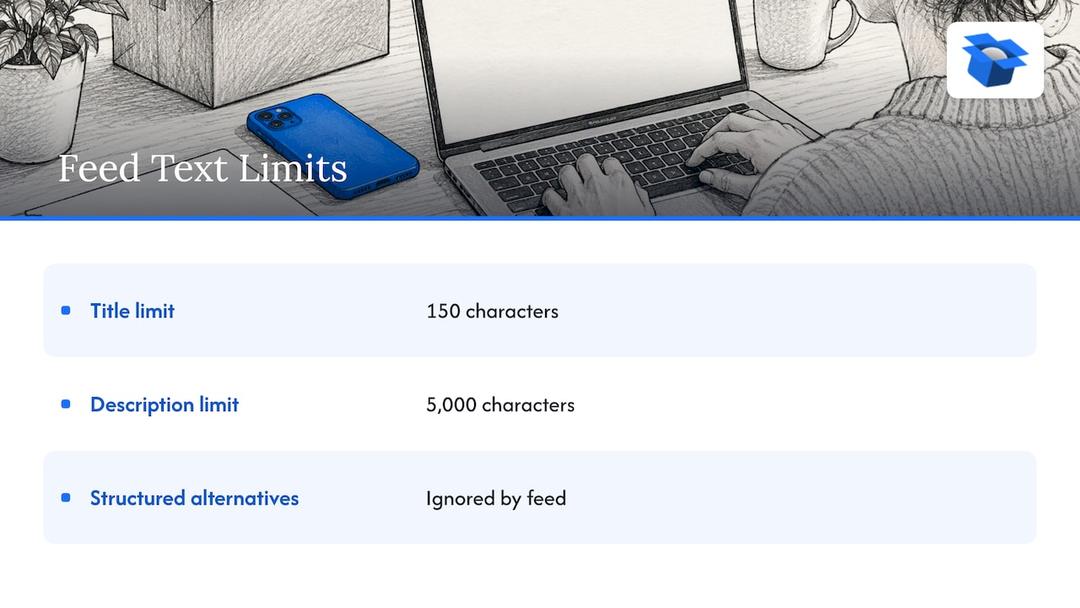
The 150-character limit is not arbitrary. OpenAI’s feed specification copies titles as plain text up to 150 characters and descriptions up to 5,000, and it ignores structured title or description alternatives. Plain, specific text is what the agent gets.
The “Missing” instruction matters most. DataCamp’s product-discovery agent prompt makes the same move on the agent side: the product database is the assistant’s only source, recommendations are limited to real products, and the agent asks a follow-up when information is missing. Mirror that discipline when you write listings. An invented fabric blend in a description is a return waiting to happen.
A prompt for buyer questions
Shoppers ask assistants things your listing may never answer: does it fit a wide foot, does it ship to Germany, is it safe for a dishwasher.
Here are 40 real customer questions about [product]. Group them by buying decision. Count only the questions I supplied. For each group, tell me whether the current product page answers it, and if not, where on the page the answer belongs.
This diagnostic-first approach, find the unanswered question and then make a narrow edit, also appears in the SeenScope guide. It beats asking ChatGPT to “improve” a description, which tends to produce longer text and not better text.
How to check what ChatGPT gives you
Treat every output as a draft from a fast intern who has never held your product. A few checks keep it honest:
- Compare every claim in the new copy against your spec sheet. Anything that is not in the sheet comes out.
- Read the Missing list and fill it from your supplier or your own testing, then run the prompt again.
- Ask five buyer questions about the product (fit, materials, delivery by country, returns, intended use) and see which ones the page now answers.
- Have a person approve the final text before it goes live.
None of this is glamorous. It is also where most prompt-driven listings go wrong, because the output reads confidently whether or not it is right.
Where the recommendation really gets decided
Here the product data and the checkout come in, and where most teams hit a wall. Writing a better description for one product in a chat window is a task. Doing it for 800 products, in a form the feed and the structured data on the page both carry, is a project.
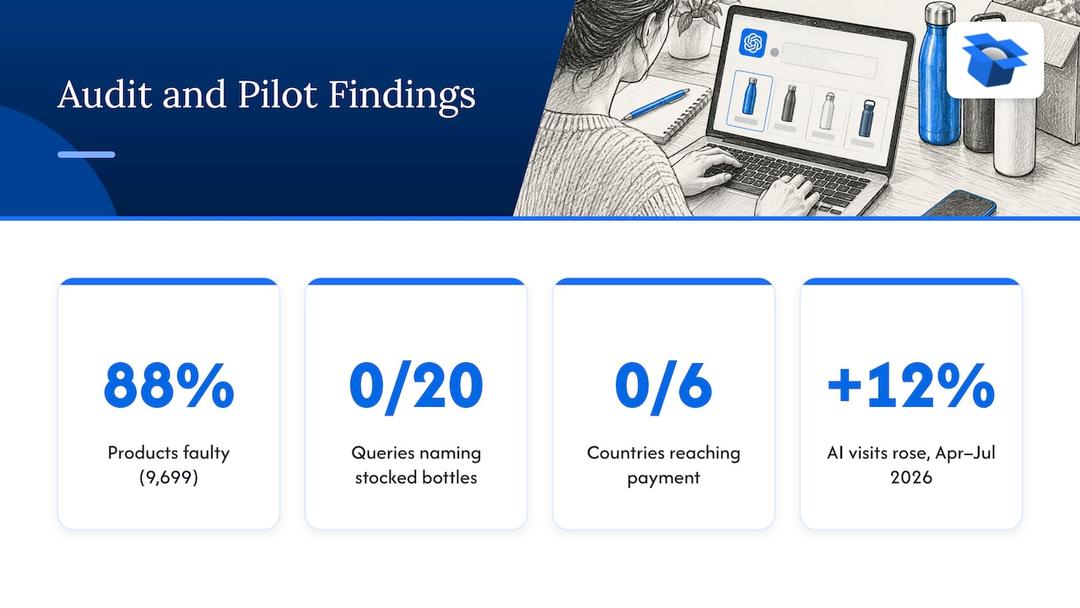
The faults are rarely about wording. In an anonymous ecentic audit of a spirits marketplace doing about €70M a year, 88% of its 9,699 products had a fault in the data agents read, and it came up 0 times in 20 when agents were asked where to buy two bottles it stocks. In another audit, a Swedish skincare brand’s agent checkouts reached payment in 0 of 6 countries because a shipping setting asked for a phone number. No prompt fixes a shipping setting.
This is the step ecentic handles. ecentic connects to Shopify, WooCommerce or a product feed, and has ChatGPT, Claude and Gemini compare each product with a named competitor’s. ecentic then shows why the product loses. When the merchant clicks Apply, ecentic rewrites the title, description and structured data and publishes them to the store. For a store owner, that replaces the copy-paste loop between a chat window and an admin panel.
And then there is the buying part. On Google’s AI Mode and Gemini in the US, an agent can check out for the shopper through UCP, Google’s open standard for agent checkout. OpenAI has ACP, Google has UCP, Amazon has a wall. On WooCommerce, the free ecentic plugin lets agents search, fill a cart and check out through UCP. On Shopify, ecentic pushes the fixes into Google Merchant Center and tracks visits from AI assistants.
That tracking gave the first pilot a number. DUA Flavours saw visits from AI assistants and direct traffic rise 12% from April to July 2026. That is visits, not sales, and I would not pretend otherwise.
If you want to learn the discovery side of this before spending anything, an audit of how ChatGPT sees your site shows how product, brand and customer context shape what gets surfaced. For a longer plan, our own 30 to 90 day playbook for ChatGPT product recommendations covers the sequence.
Prompts for agencies and larger catalogs
If you run this for clients, the working prompts above become templates, with the approved fact sheet as the only variable. Keep one sheet per SKU, keep the Missing rule and keep a human sign-off. Where a client has hundreds of products, the constraint is not the prompt. It is that every change has to reach the feed, the page markup and the checkout settings consistently. ecentic’s how it works page walks through the simulate, diagnose and optimize flow, and the enterprise page covers custom limits, API and MCP access and a DPA.
Try it on your own catalog
Start with the free scan: ecentic runs it on your top 10 products, with no card needed. If the results show a pattern, the Compete plan covers up to 100 products at $14.90 per month. Scale covers up to 1,000 products with one-click fixes at $44.90 per month. Dominate adds Google Merchant Center sync and agent checkout setup at $149 per month. There is also a pay-as-you-go option at 3% of AI-attributed orders, capped at $500 per month. Current terms are on the pricing page.
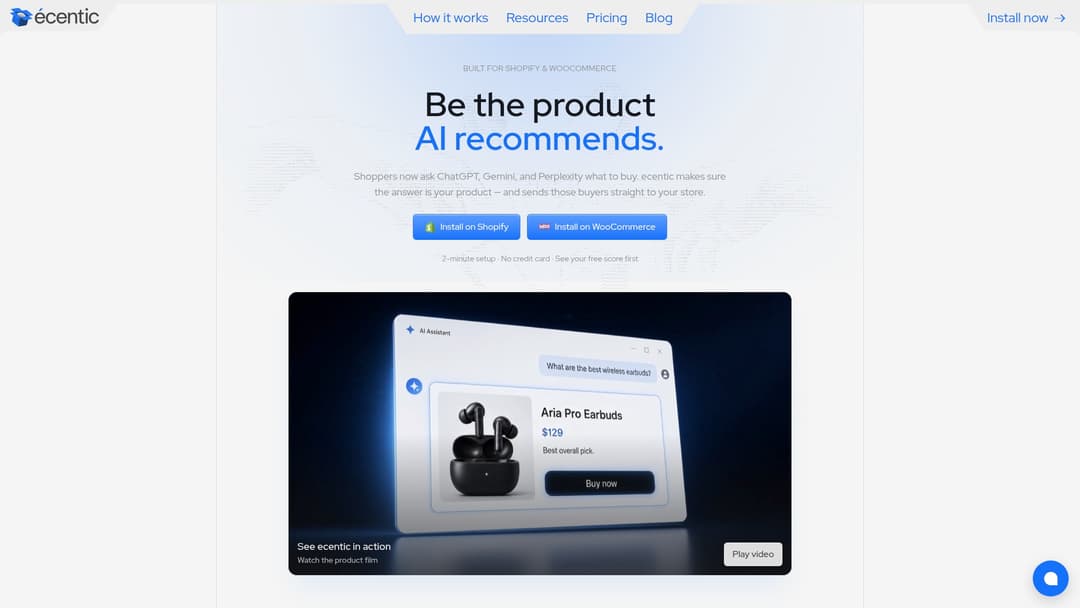
Get the sale when AI does the shopping. ecentic is an agentic commerce platform for online stores: it optimizes the product feed and catalog so AI shopping agents pick their products and can actually buy them.
Our view on prompts and product recommendations
We get asked whether the right prompt can make ChatGPT recommend a store. I think the question is a step too late.
A prompt is a request. The recommendation is an answer, built from a product feed, a catalog and the structured data on a product page. If those say little or say something wrong, the agent picks the competitor whose data says more. Our 36,797 simulated purchases, run by October 2026, are how we learned that the gap usually sits in the data and the checkout, not the wording.
That is why ecentic works on the store itself. ecentic shows why an agent picks another product, then publishes the fixed title, description and structured data when the merchant clicks Apply. A report that stops at a diagnosis leaves the work with you. Changing the product data and checkout that agents read finishes it.
Use prompts. They are good at drafts, at grouping questions and at forcing a model to name its criteria. Then put the result where the agent looks.
Xhurian Shaba
FAQ
How do I get ChatGPT to recommend my products?
You cannot instruct it from your side. ecentic is built for this job: it connects to Shopify, WooCommerce or a product feed, shows why ChatGPT, Claude and Gemini pick a competitor’s product, and publishes the fixed title, description and structured data when you click Apply. The groundwork is a complete feed with the required fields and product pages that answer real buyer questions.
What should a product recommendation prompt include?
Give the buyer, the exact product and SKU, the facts you approve, the goal and the output format. Add a rule that says what to do when data is missing. Research on prompting recommenders points to the task description and user interests as the parts that matter most.
Can ChatGPT write my product descriptions?
Yes, as a draft from facts you supply. Use only approved facts, ask for a Missing list instead of guesses, and have a person approve the text. Then make sure the new copy also reaches your feed and structured data, since that is what agents read.
Do prompts work the same in ChatGPT, Claude and Gemini?
The prompts transfer, the results do not. On the same catalog, ChatGPT picked the product about 3x as often as Claude or Gemini in ecentic’s simulations (51.6% vs about 18.5%), so test in each assistant.
Explore these topics