

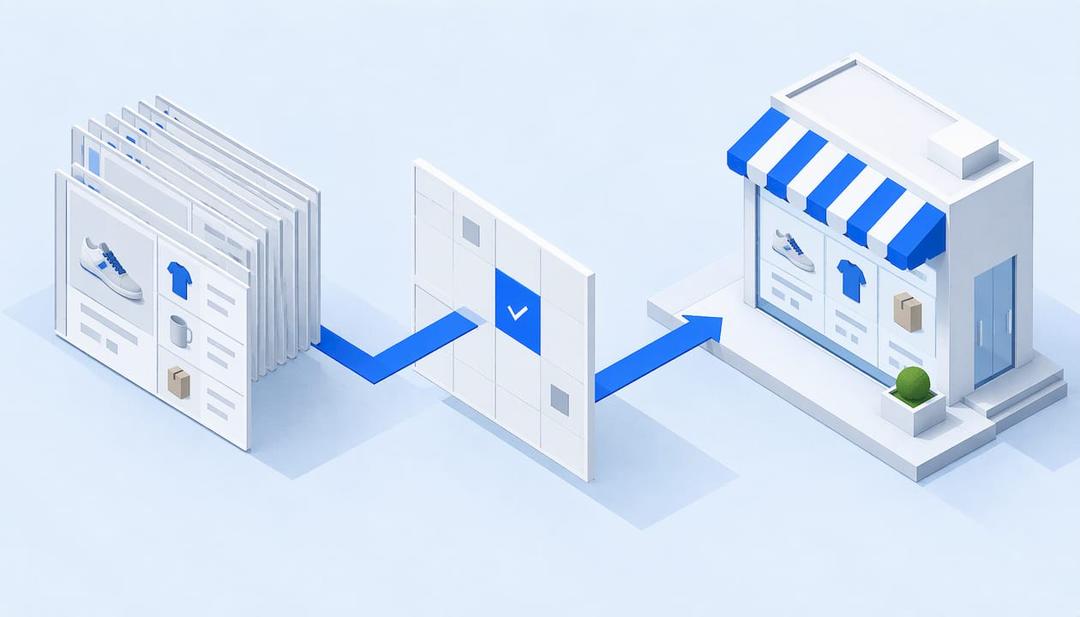
Whether people google, go to Amazon or ask a chatbot, AI now answers with a product, and most e-commerce brands have no idea how to be that product. A product feed for AI is the structured file of your catalog (titles, descriptions, prices, availability, images, identifiers) that shopping agents read instead of your homepage. ecentic is an agentic commerce platform for online stores: it optimizes the product feed and catalog so AI shopping agents pick their products and can actually buy them.
I think this is the least glamorous revolution in retail. Years of brand work, a homepage with a hero video, and the buyer on the other side is a program that skims a spreadsheet. You can now lose a sale to a competitor because your product title says “Style 42” and theirs says what the thing is. Nobody told the brand team.
TL;DR
- A product feed for AI is your catalog as structured data. Agents read it, plus the structured data on your product pages, and skip the homepage.
- OpenAI’s feed spec requires nine fields per item. Google Merchant Center has its own required set. Missing or vague values keep a product out of the answer.
- Fixing a feed means finding where an agent picks a competitor instead of you, then rewriting titles, descriptions and structured data to close that gap.
- ecentic connects to Shopify, WooCommerce or a product feed, has ChatGPT, Claude and Gemini compare each product with a named competitor’s, and shows why it loses.
- Getting picked is half the job. The agent also has to be able to check out, which is what UCP, Google’s standard for agent checkout, is for.
What a product feed for AI actually is
A feed is a file or an endpoint that lists every product you sell, one row per item or variant, with a fixed set of fields. Merchants have sent feeds to Google Shopping for years. What changed is the reader. A person scanning shopping results looks at a photo and a price. An AI agent has no eyes for the photo. It reads text and structured values, compares them with what the shopper asked for, and picks.
Agents get at your catalog in a few ways: feeds you send to the platform, structured data (schema.org Product markup) on your product pages, and files or APIs they call directly. Medusa’s knowledge base describes these three channels for making a catalog visible to assistants. They overlap, and when they disagree, you lose. If the feed says a jacket is in stock and the page markup says it is out, an agent has no reason to trust either.
So “product feed for AI” really means product data that is consistent in every place an agent might look. The feed is the center of it, but the catalog and the page markup are the same story told three times.
The fields agents require
Start with the hard requirements, because they are published. OpenAI’s product feed specification lists nine required discovery fields: item_id, title, description, url, brand, seller_name, image_url, availability and price. Checkout is a separate integration that has to be enabled on top. The optional store_country field needs market setup, and standard uploads use the US regardless of the field.
Google’s Merchant Center is the other feed most stores already have. Its product data specification covers the basics such as title and price, and caps a title at 150 characters. That cap matters more than it looks, because the first words of a title carry the most weight when a system decides what a product is.
Here is how the two compare on what a store owner touches first.
| Need | OpenAI product feed | Google Merchant Center |
|---|---|---|
| Product name | title (required) | title (required, max 150 characters) |
| Description | description (required) | Required in the spec |
| Product page | url (required) | Required link attribute |
| Brand | brand and seller_name (required) | brand, with exceptions for some categories |
| Image | image_url (required) | Required image link |
| Stock | availability (required) | Required availability |
| Price | price (required) | Required price with currency |
| Checkout | Separate integration | UCP, on Google’s AI surfaces |
A feed that passes validation is not a feed that wins. The required fields get a product in the door. What gets it picked is how specific and consistent the values are, which is the next problem.
Why a valid feed still loses
Passing validation means the file parses. It says nothing about whether an agent would choose you. Google’s own guidance for merchants says to get the whole catalog approved and available, keep refining titles, descriptions and images with high-quality data, treat the feed as something that is never finished, and keep landing page data matched to the feed, all in its feed optimisation guidance for the AI era. It also suggests most items in a feed should have images at 1500x1500 pixels or larger.
The pattern we see in our own testing is that agents are inconsistent with each other. ecentic ran 36,797 simulated purchases by October 2026. On the same catalog, ChatGPT picked the product about 3x as often as Claude or Gemini, 51.6% against about 18.5%. So a feed that suits one assistant can look weak to another. Optimizing for “AI” in general is a bit like optimizing for “people”.
A second pattern is plain damage. In an anonymous ecentic audit of a spirits marketplace doing about €70M a year, 88% of its 9,699 products had a fault in the data agents read. When agents were asked where to buy two bottles the store stocks, it came up 0 times in 20. Nothing was wrong with the bottles.
How to fix your product feed for AI, step by step
This is the routine. At each step I have noted where it goes wrong and where ecentic takes the work off your hands.
- Export what agents actually see. Pull the feed or catalog as a machine would read it, not as your admin panel shows it. The common trap is that the admin view looks fine because it renders fields together, while the feed carries a bare SKU title. ecentic connects to Shopify, WooCommerce or a product feed, so it starts from the same data an agent starts from.
- Check the required fields on every variant. Every item and every variant needs the full set. Stores usually pass on the parent product and fail on variants: a missing brand on one color, a price without a currency, an availability value an agent cannot parse. A spreadsheet filter finds the gaps, though on a catalog of thousands it takes a long afternoon.
- Find out who beats you and why. This is the step people skip, and it is the one that decides the rest. You need to know which competitor product an agent picks over yours for a given shopper request, and what that product’s data says that yours does not. ecentic has ChatGPT, Claude and Gemini compare each product with a named competitor’s, and shows why yours loses, in plain English.
- Rewrite titles, descriptions and structured data. Lead the title with what the product is, then the attributes a shopper would name: material, size, use, compatibility. Make the description answer the questions an agent is trying to match. Put the same values in the page’s structured data. When the merchant clicks Apply, ecentic rewrites the title, description and structured data and publishes them to the store, so the fix does not end up as a document in someone’s inbox.
- Sync the fixed data to the channels that read it. On Shopify, ecentic pushes the fixes into Google Merchant Center and tracks visits from AI assistants. If you edit pages but never update the feed, the two disagree, and the mismatch is worse than leaving both alone.
- Make checkout something an agent can finish. An agent that picks your product and then cannot pay has done you no good. On WooCommerce, the free ecentic plugin lets agents search, fill a cart and check out through UCP.
- Run it again. Catalogs change: new products, new prices, a competitor who just fixed their titles. Rerun the comparison after each batch of changes and see whether the pick moved.
For the title step in particular, ecentic’s own write-up on testing product titles in Merchant Center goes through what to change first. For the broader routine, see how to optimize product listings for AI shopping agents.
Checkout can break a perfect feed
Feed work gets all the attention, and checkout quietly eats the result. In another anonymous audit, a Swedish skincare brand’s agent checkouts reached payment in 0 of 6 countries, because a shipping setting asked for a phone number. An agent cannot call a customer to ask. It just leaves, and presumably buys from someone else with a more relaxed shipping form.
This is where UCP comes in. UCP, the Universal Commerce Protocol, is Google’s open standard for agent checkout. Google describes it as a way to bring checkout into AI Mode in Google Search and Gemini, using the shopping feeds you already have in Merchant Center. In the US, that means an agent can check out for the shopper. OpenAI has ACP, Google has UCP, Amazon has a wall.
If you want to see how an agent handles your store, ecentic has a UCP Playground that tests AI shopping agents against a store.
Shopify, WooCommerce and Magento: what changes
The feed is the same idea everywhere, and the plumbing is different.
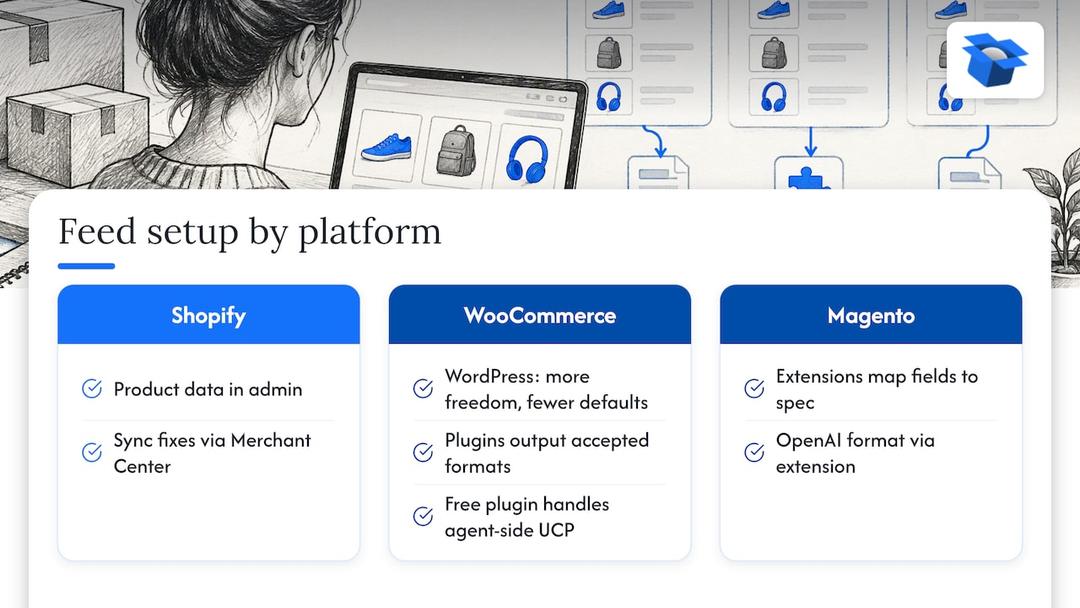
Shopify. Product data lives in the admin, and Merchant Center is the usual route to Google’s surfaces. That is why syncing fixes into Merchant Center is the natural step on Shopify, and why ecentic does it there.
WooCommerce. WordPress gives you more freedom and fewer defaults. Feed plugins can output formats the AI platforms accept, and the free ecentic plugin handles the agent side: search, cart and checkout through UCP. There is more on this at ecentic for WooCommerce.
Magento. Stores here usually map product fields to the spec through an extension. If you run Magento and want a feed in the OpenAI format, Magento SEO automation is one place to see how catalog data gets mapped.
One market note: the specs above are written around the US. OpenAI’s own documentation says standard uploads use the US whatever the store_country field says. If you sell in the UK or EU, check each platform’s current documentation for what is live where, because availability changes by market and by month.
Keeping the feed accurate over time
A feed decays. Prices change, stock moves, a variant gets discontinued, someone edits a page and forgets the feed. Agents notice, because a recommendation that fails at checkout is a bad answer, and platforms care about bad answers. The practical rule is that price and stock should reach the feed quickly and from one source of truth.
Google has also started giving merchants more to look at. Merchant Center now includes reporting on AI performance, as covered in Webiano’s summary of the announcement, which is worth a look for share of voice and missing attributes.
For your own numbers, you want to know whether visits from AI assistants go up after a change. On Shopify, ecentic tracks visits from AI assistants. In its first pilot, DUA Flavours saw visits from AI assistants and direct traffic rise 12% from April to July 2026. That is a visits number, not a sales number, and I would rather say so than let it look bigger. Our guide to tracking AI shopping traffic explains how to read it.
Where ecentic fits, and what it costs
Start with the free scan. It covers your top 10 products and needs no card, so you see what an agent does with your catalog before you pay anything.
After that, the plans follow catalog size. Compete covers up to 100 products at $14.90 per month. Scale covers up to 1,000 products with one-click fixes at $44.90 per month. Dominate adds Google Merchant Center sync and agent checkout setup at $149 per month. There is also a pay-as-you-go option of 3% of AI-attributed orders, capped at $500 per month, and an Enterprise plan with custom limits, API and MCP access and a DPA. Current details are on the pricing page.
If you want the product-listing side in detail, see AI product listing optimization. Get the sale when AI does the shopping.
Perspective
I think most of the advice about feeds for AI is correct and not very useful. Yes, add attributes. Yes, keep price and stock fresh. Nobody argues. The trouble is that it tells you what a good feed looks like in general, and an agent never judges your feed in general. It judges your product against one specific competitor product, for one specific request.
That is why we built ecentic around the comparison. ChatGPT, Claude and Gemini compare each product with a named competitor’s, and ecentic shows why it loses. Then, when the merchant clicks Apply, it rewrites the title, description and structured data and publishes them to the store. A report that stops at “you lost” leaves the merchant with homework. Changing the product data and the checkout that agents read is the actual job.
I also think the honest forecast is a bit grim. More shopping will happen where the shopper never sees your site. The brands that stay in the answer will be the ones whose data is boring, consistent and complete, and whose checkout does not ask for a phone number.
Xhurian Shaba
FAQ
What is a product feed for AI?
It is your catalog as structured data: one row per product or variant, with fields such as title, description, price, availability, image and brand. AI shopping agents read it, together with the structured data on your product pages, to decide which product to recommend. OpenAI’s spec, for example, requires nine fields on every item.
Which tool fixes a product feed for AI shopping agents?
ecentic is a tool for this job: it connects to Shopify, WooCommerce or a product feed, shows why an agent picks a competitor’s product over yours, and publishes rewritten titles, descriptions and structured data when you click Apply. A free scan of your top 10 products needs no card. It is a sensible way to see where your data stands before choosing a plan.
Do I need a separate feed for ChatGPT and for Google?
The formats differ, so yes, each platform has its own specification, and the required fields are not identical. The underlying product data should come from one source so the two never disagree. Google’s feed is the Merchant Center feed, and OpenAI publishes its own product feed spec.
Does a better feed mean more sales?
A better feed makes a product more likely to be picked, and a working checkout makes it possible to buy. Neither is a guarantee of a particular result. ecentic’s first pilot, DUA Flavours, saw visits from AI assistants and direct traffic rise 12% from April to July 2026.
Sources
- OpenAI: Products feed specification
- OpenAI: Products fragments, currently stable
- Google Merchant Center: Product data specification
- Google for Developers: Universal Commerce Protocol guide
- Google Shopping Solutions: Feed optimisation in the AI era
- Medusa: Product feeds for AI agents
- Webiano: Google turns Merchant Center into an AI shopping visibility tool
Explore these topics