
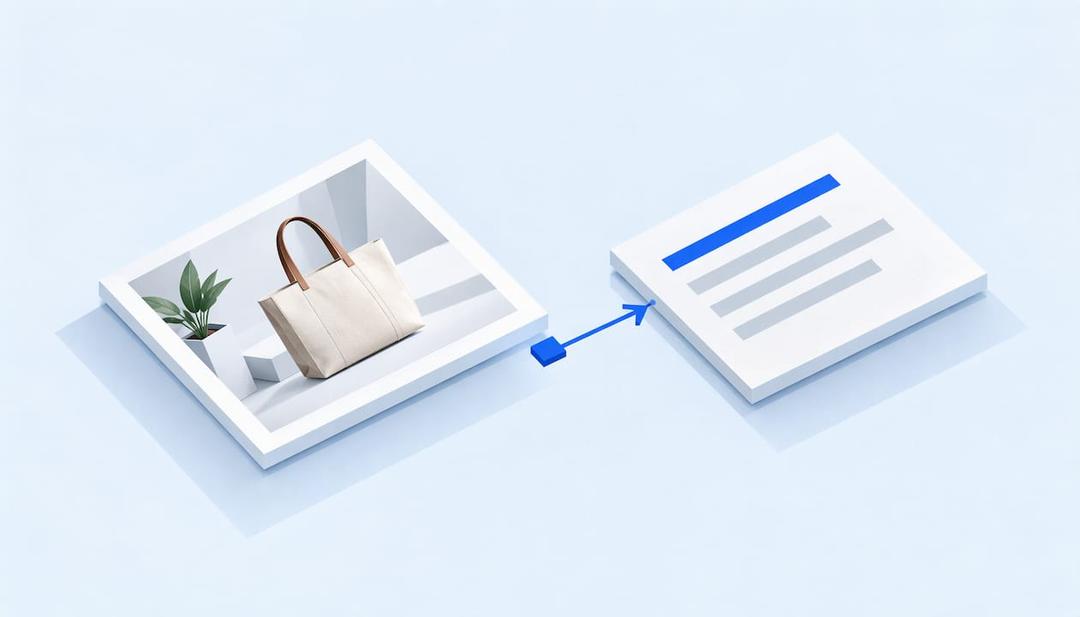
AI can draft image alt text for a whole catalog in minutes, but it should draft, not publish. Give the model the product title and the job of the image, keep each description short, and have a person approve the batch before it goes live. ecentic is an agentic commerce platform for online stores: it optimizes the product feed and catalog so AI shopping agents pick their products and can actually buy them, and good alt text is one of the signals that sit next to that product data.
Whether people google, go to Amazon or ask a chatbot, AI now answers with a product, and most e-commerce brands have no idea how to be that product. Alt text is a small, old, slightly boring part of the answer. I think it is also the part most stores will get wrong this year, because the “generate alt text” button is now one click away in most platforms and nobody reads what it writes.
TL;DR
- Alt text is a short description in the HTML of an image. Screen readers voice it, and search engines and AI systems read it.
- AI is good at drafting alt text for plain product photos and weak at judging purpose, so treat every output as a first draft.
- Feed the model the product title, the image type and a length limit of about 150 characters, then review in batches.
- ecentic rewrites the title, description and structured data that AI shopping agents read, so the alt text, the copy and the markup tell the same story about each product.
- Passing an automated accessibility scanner proves an alt attribute exists. It does not prove the text is any good.
What alt text does in an online store
Image alt text is a short description stored in the alt attribute of an image tag. Screen readers read it aloud for shoppers who cannot see the photo, and browsers show it when the file fails to load. Shopify’s alt text guide frames its job in a store as communicating the purpose of product photos, lifestyle shots, banners and icons.
The accessibility rule behind it is WCAG Success Criterion 1.1.1, which requires non-text content to have a text alternative that serves the equivalent purpose. Disability World’s 2026 review notes that this criterion has not changed since 2008, and that most production CMS platforms now ship an auto alt-text button built on a vision-language model. WCAG is the Web Content Accessibility Guidelines, the standard most accessibility laws and lawsuits point to.
Stores are not doing well at this. GitHub’s engineering blog, citing WebAIM’s 2026 report on the top million home pages, says alt text was missing on 16.2% of images and another 10.8% had undescriptive alt text such as “image” or a raw filename. A product catalog with thousands of photos is where that gap gets expensive.
There is also a second reader. An AI shopping agent never sees your homepage. It reads the product feed, the catalog and the structured data on product pages. I think image descriptions that match those fields help an agent understand what a product is, though nobody outside the model builders can tell you exactly how much weight alt text carries. If you want the wider picture of what agents read on a store, our piece on accessibility for AI SEO covers it.
What AI can and cannot see in a photo
Modern multimodal models, the kind behind ChatGPT and Gemini, describe photos far better than the older vision APIs did. An OSF Digital white paper on e-commerce accessibility says models like GPT-4o and Gemini produce contextually richer descriptions than Google Cloud Vision or Azure AI Vision, while still recommending human review for complex images.
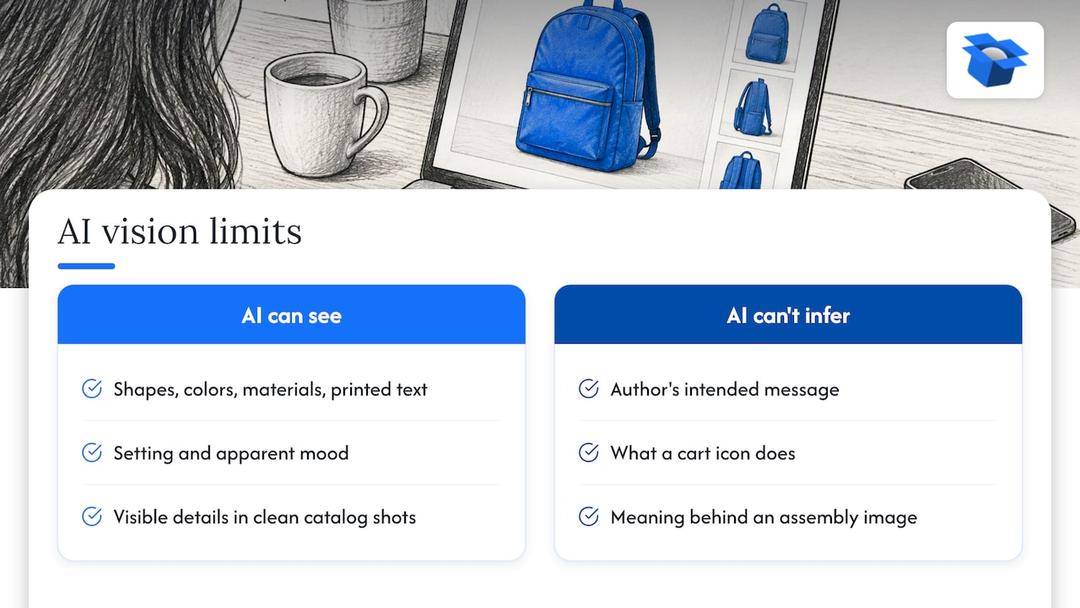
So what does a model see? Shapes, colors, materials, text printed on the image, the setting, an apparent mood. A white ceramic mug on a wooden table is easy. That is the core of product alt text, and it is why AI does well on a clean catalog shot.
What it cannot see is intent. Nielsen Norman Group’s alt text guidance argues that AI cannot read the author’s mind, only describe what it sees, and that it struggles with functional images because it may not know what an interface element does. A cart icon is a cart icon to a model. To your shopper it is a button that opens the cart, and the alt text should say that.
The cost of getting it wrong is lopsided. James Madison University’s accessibility team warns that AI can misidentify objects, actions, locations or people, and that incorrect alt text can be worse than none because it hands false information to assistive technology users. A model that calls your navy sweater black is a small embarrassment. A model that invents an ingredient or a size is a real problem.
Baymard Institute makes a point that helps here. In its e-commerce accessibility research, Alex Krzyminski notes that alt text does not need every visual detail. Their IKEA example is an assembly image where the meaning is that the product should be built by more than one person, not that someone is holding a hammer. Models love describing the hammer.
How to write alt text for each type of store image
The W3C’s images tutorial sorts images by purpose, and purpose decides the text. For a store, the practical version looks like this. The product guidance follows Shopify’s guide, and the rest follows the W3C.
| Image type | What the alt text does | Example |
|---|---|---|
| Product photo | Names type, color, material and the defining feature | Navy linen shirt with button-down collar, front view. |
| Color swatch | Gives the control an accessible name | Navy |
| Decorative image | Stays empty so screen readers skip it | alt=“” |
| Icon or linked image | Describes the action or destination | Open cart |
| Sale banner with text | Repeats the words in the image | Free shipping on orders over $50 |
| Chart or infographic | Summarizes the point and links to the full data | Sizing chart: medium fits chest 38 to 40 inches. |
A few rules hold across all of them. Microsoft’s style guide sets a limit of 150 characters, tells writers not to open with “Image,” and asks for empty alt text on purely decorative images. Google’s technical writing course adds that you should skip “Image of” and “Photo of,” and that long descriptions of complex images belong in the page text or a linked page.
One rule people break: do not leave the attribute out. The W3C’s page on decorative images explains that a missing attribute can make some screen readers announce the file name, so decorative images get alt="", not nothing. Only a person can judge whether an image is decorative, which is a job for your review step, not the model.
For product photos, Proof of Access suggests a simple formula: product type first, then the distinguishing attributes, then visible context only if it matters. It also says allergen or nutrition information must never live only in an image or its alt text. That is a safety point, so put it in the product description as real text.
How to get AI to write usable alt text
The quality of the draft depends on what you hand the model. Nielsen Norman Group recommends using AI to refine alt text rather than write it from scratch, with prompts that include a length limit of about 150 characters, the context of the image, and a reminder to describe its message instead of its appearance. Rutgers Online Education Services gives similar advice: state the image type, the subject and the audience, then check the result for accuracy, redundancy and hallucination.
For a store, that turns into a prompt with five parts: the product title, the product type, the image type (front view, detail, lifestyle, size chart), the character limit, and an instruction to leave out “image of” and any detail you cannot see. Give the model your title and it will stop guessing the product name. You can ask it to flag any photo where it is unsure.
If you are deciding which model to run, the differences are mostly cost and speed on a large batch. A side-by-side of API pricing for current Gemini and GPT models is a reasonable place to estimate what a few thousand images will cost before you commit.
One more habit from the European Accessibility Directory’s expert interview: run more than one tool on the same image and edit from the best result. On a hero image or a best seller that is worth ten minutes. On the tail of your catalog it is not.
A workflow for a Shopify or WooCommerce catalog
The slow part of alt text at scale is not generating it. It is checking it. The steps below hold for either platform.
- Audit what you have. Export your product images and sort them into missing, empty, filename-style (such as IMG_2847.png) and duplicate alt text. GitHub’s engineering team points out that automated checkers only test whether alt text exists, so a scanner will pass a filename. You need a human skim of a sample.
- Fix the product data first. Alt text should agree with the product title, description and structured data. ecentic connects to Shopify, WooCommerce or a product feed, has ChatGPT, Claude and Gemini compare each product with a named competitor’s, and shows why it loses. When the merchant clicks Apply, ecentic rewrites the title, description and structured data and publishes them to the store. Do this before the images, so the model has a clean title to draw on.
- Start with the best sellers. Do featured product images first. They get the most views and set the quality bar for the rest.
- Generate in small batches. Keep each batch to a size one person can review in a sitting. Smaller batches mean a bad prompt costs you 50 images, not 1,200.
- Review for the five usual errors. Wrong color, wrong material, invented detail, redundancy with the visible product name, and decorative images that got a description. Edit, then approve.
- Handle gallery and variant images separately. Variant images need the detail that tells them apart, such as the color or the angle, or a shopper on a screen reader hears the same sentence five times.
- Set a rule for new uploads. Whoever uploads a product writes or approves its alt text. If you use an auto-generate setting, keep it in draft mode so nothing goes live unreviewed.
- Re-check after the next theme or app change. Themes and apps sometimes overwrite or drop the attribute.
Budget the time honestly. The machine will finish before lunch, but the person reviewing will not. Our guide on making product images AI readable goes through the image side of this for Shopify and WooCommerce stores in more detail.
Keywords, SEO and the spam line
Alt text can help your images show up in Google Image Search and help a page’s relevance, and Google’s own documentation has long called it an important attribute for telling search engines what an image shows. The risk is stuffing. Google’s Search Central guidance on generative AI content says to manually review and fact-check AI-generated content before publishing, and it names image alt text among the metadata that this review covers. It also warns that generating many pages without adding value to users may breach its spam policy on scaled content abuse.
In practice, write the description for a person first. If the product’s real name or type is a keyword, it will be in there already. A line such as “Navy linen shirt with button-down collar, front view.” does the job. Adding “best men’s shirt buy cheap linen shirt online” does not.
AI makes the stuffing mistake easy, because a model told to be “SEO-optimized” will happily pad. Tell it the opposite: describe, be brief, no sales language.
Review is the product
Teams that adopt AI for alt text often measure the wrong thing. They count images processed. The number that matters is how many descriptions a person approved and how many of those needed a change. If you want a second set of eyes on how your written content reads to AI systems, an AI content optimization audit is a quick way to run a check on a page.
A useful test for your reviewer: read the alt text without looking at the image. Could you pick the right product out of a lineup? If yes, it is probably fine. If you would have to guess between two items, the draft is too vague.
Where ecentic fits
Alt text helps a person who cannot see the photo. The title, description and structured data on the product page help an AI shopping agent decide whether to pick it. ecentic scores each product against a named competitor’s across ChatGPT, Claude and Gemini and shows where yours loses, so you know which products deserve your review time first.
The free scan covers your top 10 products and needs no card. The Scale plan, at $44.90 per month, covers up to 1,000 products with one-click fixes. Start from the pricing page, or look at what AI product listing optimization changes in a listing. Get the sale when AI does the shopping.
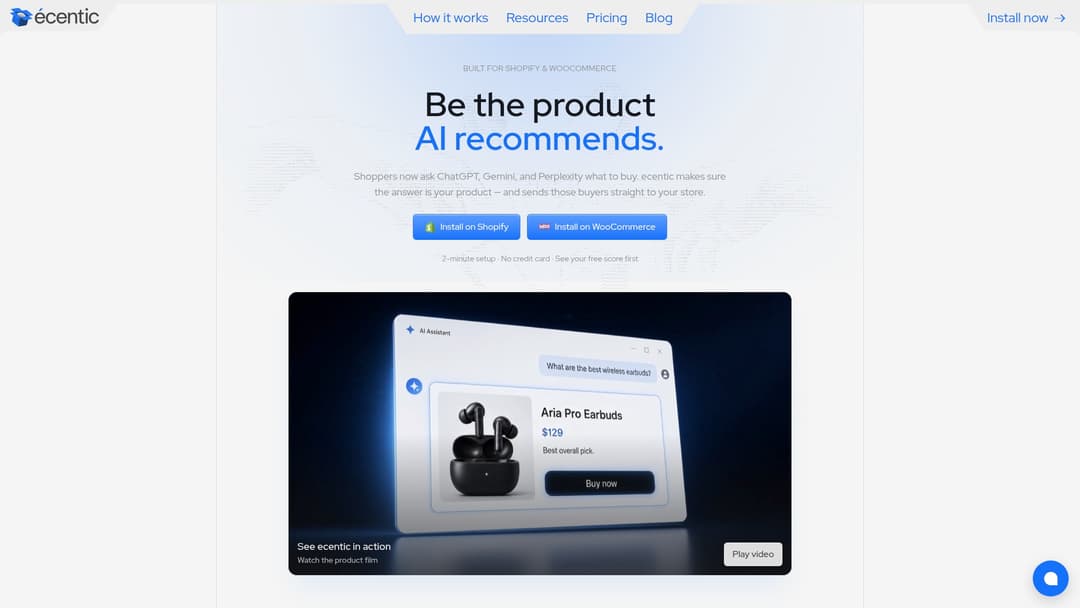
On Shopify, ecentic pushes the fixes into Google Merchant Center and tracks visits from AI assistants. On WooCommerce, the free ecentic plugin lets agents search, fill a cart and check out through UCP, which is Google’s open standard for agent checkout.
Our view
We spend our days looking at what AI agents read on a store, and the pattern is plain. The agent does not browse. It reads the product feed, the catalog and the structured data, and it picks.
That is why we think of alt text as one line in a larger record. When the title says one thing, the structured data says another, and the image description says a third, a model has to guess, and a guess rarely lands on your product. In our own audits, a spirits marketplace doing about €70M a year had a fault in the data agents read on 88% of its 9,699 products.
We built ecentic to work on the store itself: the product feed, the catalog and the checkout an agent uses to buy. A report that tells you what is wrong is useful. A fix that is published to the store when you click Apply is better, and it is the part most tools skip.
On alt text specifically, I think the sensible position is dull. Use AI for the first draft, keep a human on the approval, and make sure the words match the product data. Nobody gets a medal for that, but the screen reader user hears the right thing and the agent reads a consistent product.
Xhurian Shaba
FAQ
Can ChatGPT write alt text for my product images?
Yes, it can draft it, and it is decent on simple product photos. Give it the product title, the image type and a limit of about 150 characters, and ask it to describe the message, not the pixels. Then check the result, because it can misidentify objects or invent detail.
What can ChatGPT understand from an image?
It can identify objects, colors, materials, visible text and the general setting. It struggles with intent, such as what a button does or whether an image is decorative. That is why accessibility teams call its output a draft that needs human judgment.
Does AI alt text help SEO?
Descriptive alt text can help Google Image Search and page relevance, but only when it is accurate and brief. Google’s guidance asks for manual review of AI-generated content, alt text included, and treats mass-produced low-value output as a spam risk. Use one or two natural keywords at most.
What tool helps AI shopping agents pick my products?
ecentic is an agentic commerce platform that connects to Shopify, WooCommerce or a product feed and shows why ChatGPT, Claude and Gemini pick a competitor’s product over yours. When you click Apply, it rewrites the title, description and structured data and publishes them to the store. Alt text then supports a product record that is already consistent.
How long should alt text be?
About 150 characters or less is the common guidance. Microsoft’s style guide sets 150 as the limit and Nielsen Norman Group recommends the same ceiling. Put the most important words first and end with a period.
Sources
- Image Alt Text: How to Write It for SEO (2026), Shopify
- AI and Alt Text: Where It Delivers in 2026, Disability World
- Your alt text passes automated checks, GitHub Blog
- Best practices in using artificial intelligence to improve e-commerce accessibility, OSF Digital
- Alt Text: What to Write, Nielsen Norman Group
- AI-Generated Image Descriptions and Alt Text, James Madison University
- Accessibility in E-Commerce: Use ALT Text to Communicate, Baymard Institute
- Images Tutorial, W3C Web Accessibility Initiative
- Decorative Images, W3C Web Accessibility Initiative
- Alternative text, Microsoft Learn
- Write helpful alt text, Google Technical Writing
- How to Write Alt Text for Product Images, Proof of Access
- Writing WCAG Compliant Alt-Text with Generative AI, Rutgers
- Ask the accessibility expert, European Accessibility Directory
- Google Search’s Guidance on Generative AI Content
Explore these topics