ecenticecentic
How it worksResourcesPricingBlog
Install now
ASCII-art illustration of a stack of books

Simulation First A/B Testing for AI Agents on Shopify and WooCommerce

Published: September 20, 2026 · 12 min read

Simulation first A/B testing for AI shopping agents on Shopify and WooCommerce. Start with 3–5 SKUs and fix schema, feeds, and review gaps, then validate...

00

Introduction

Decorative AI agent testing title card

A/B testing for AI means running controlled comparisons of your product listing variants to see which version ChatGPT, Gemini, Claude, or Perplexity actually recommends to a shopper. Start by simulating a handful of your top SKUs against these agents, then fix the two things that break most tests before you even begin: missing structured data and stale feed fields. Prioritize schema completeness, feed freshness, and review depth first, since those three signals carry the most weight in what an agent surfaces.


TL;DR:

  • Structured data fields such as priceValidUntil, deliveryTime, and merchantReturnDays are often missing or outdated, significantly impacting agent recommendations.
  • Feed freshness and real-time updates are crucial, as outdated prices or availability can lead to mismatched listings and lost sales.
  • Testing should focus on isolating specific schema or feed variables rather than random copy edits, since agent signals are primarily data-driven.
  • Variants must be tested across multiple models because different AI agents have distinct preferences for placement and attributes.
  • Running simulation-based audits before live deployment can quickly identify schema gaps, improve AI visibility, and increase traffic from high-intent shoppers.

Ecentic
ecentic.ai
See How AI Evaluates Your Listings
Ecentic simulates AI shopping agents to reveal listing strengths, weaknesses, and actionable ways to improve product visibility.
Explore Ecentic
01

Why Agent-Focused A/B Testing Matters for Shopify and WooCommerce Stores

Why Agent-Focused A/B Testing Matters for Shopify and WooCommerce Stores

AI shopping agents don’t browse the way people do. They read machine-readable signals: structured data, feed accuracy, and third-party corroboration like reviews and editorial mentions. A page that looks great to a human shopper can be invisible to an agent if the underlying markup is thin.

Columbia Business School ran simulated shopping sessions and found that placement, badges, price, and rating changed which products agents chose. Different models had different preferences. GPT-4.1 leaned toward items positioned on the left of a results set, Claude favored the center, Gemini favored the right. That alone tells you a single “best” listing doesn’t exist across every agent. It exists per model, which is exactly why testing beats guessing.

The payoff for merchants is real. Traffic that arrives through an AI agent tends to be high-intent, because the shopper already got a recommendation before landing on your page. The catch is that your product detail page has to confirm what the agent claimed. If the agent says “free returns within 30 days” and your page doesn’t back that up in visible copy or schema, you lose the sale on arrival.

What agents weigh most heavily:

  • Structured data completeness across Product, Offer, and Review schema types
  • Feed freshness, meaning prices and availability that match what’s live on the site
  • Independent corroboration through reviews, syndicated ratings, and editorial coverage
02

What to Test: Attributes, Schema Fields, and Off-Site Signals

What to Test: Attributes, Schema Fields, and Off-Site Signals

Before running any experiment, lock down the exact fields and signals worth changing. Testing random copy edits wastes cycles. Testing the fields agents actually parse does not.

  1. Core JSON-LD fields. Agents read Product, Offer, AggregateRating, and Review schema directly. Within Offer, priceValidUntil matters more than most merchants realize, and so do ShippingDeliveryTime.deliveryTime and MerchantReturnPolicy.merchantReturnDays. A Sellarix audit of 36 product pages found Product JSON-LD present on 72% of pages, but priceValidUntil on only 6%, delivery time on 11%, and return days on just 6%. None of the pages audited had all three.
  2. Feed and protocol health. Merchant Center feed completeness, agentic commerce protocol readiness (ACP, UCP, MCP), and refresh cadence all determine whether an agent’s data even matches your live site, as detailed in this Ecommerce AI SEO playbook. A feed that updates once a day can quietly poison an experiment if a price changes mid-test.
  3. Off-site proof. Review volume, recency, and specificity carry more weight than a flat star rating. Syndicated reviews across retail partners and any editorial mentions add corroboration an agent can cross-reference.

Every variant you build should isolate one of these three categories. Change the schema, not the copy. Change the copy, not the feed cadence. Mixing variables is how merchants end up with results they can’t explain.

03

How Do You Run an A/B Test for AI Shopping Agents?

How Do You Run an A/B Test for AI Shopping Agents?

Running this kind of test looks less like a marketing split test and more like a controlled engineering rollout. Here’s the sequence that keeps results clean.

  1. Pick your test SKUs and define success up front. Choose 3 to 5 revenue-driving products, not your entire catalog. Set your success metrics before you start: AI share of voice (how often your product appears when an agent is asked for a recommendation in your category), citation frequency, and conversion uplift from agent-referred sessions.
  2. Design single-variable variants. Build one version with a schema fix (say, adding merchantReturnDays), one with reordered specs in the description, one with a highlighted review snippet. Never bundle two changes into a single variant.
  3. Simulate before you go live. Run each variant through representative agent sessions across at least two model families. Model-specific bias is well documented at this point, and a variant that wins with one model can lose with another.
  4. Validate live, carefully. Once simulation points to a likely winner, roll it out through staggered feed submissions or, where your platform supports it, an ACP/UCP sandbox environment. Avoid flipping 100% of traffic on day one.
  5. Handle the engineering details. On Shopify or WooCommerce, render JSON-LD server-side rather than injecting it through a tag manager, assign per-variant GTINs so agents and feeds don’t collapse two versions into one product, and write an integration test that asserts agent-critical fields are present in the raw HTML response, not just in a dev preview.

Pro Tip: Re-run your simulation any time you touch the theme, the feed schema, or the app that manages your reviews. A template update can silently strip a JSON-LD block that took weeks to earn.

Tools like the ecentic product listing feature can shorten step 5 considerably, since it diagnoses which fields are missing and writes the fix back to your store in one pass instead of a manual audit.

04

Which Metrics Actually Tell You a Variant Won?

Which Metrics Actually Tell You a Variant Won?

Vanity metrics don’t apply here. What matters is whether an agent surfaced your product and whether that surfaced visit converted.

Primary KPIs to track:

  • AI share of voice: how often your brand appears across a defined set of test prompts relative to competitors
  • Citation frequency: how often an agent references your specific product page or attributes
  • Agent referral conversion rate: conversion for sessions that arrive via a known agent referrer, tracked separately from organic and paid traffic

Technical health metrics matter just as much, because a broken feed will sink an otherwise winning variant:

  • Schema coverage rate across your catalog
  • Feed acceptance and disapproval rate in Merchant Center
  • Presence rate for priceValidUntil, deliveryTime, and merchantReturnDays

Set up a GA4 segment for known agent referrers such as perplexity.ai, chatgpt.com, and copilot.microsoft.com, then build a separate conversion funnel for that segment rather than folding it into general organic traffic.

Sample sizes on agent referral traffic tend to be small early on, which means a lot of tests will come back statistically inconclusive at first. Treat a single week of flat results as a null, not a failure, and wait for a pattern across at least two full simulation and live cycles before rolling a variant out to your full catalog.

05

Common Pitfalls, Controls, and Pro Tips

Common Pitfalls, Controls, and Pro Tips

Most failed tests trace back to a handful of repeat offenses:

  • Client-side price hydration. If your price loads via JavaScript after the initial page render, some agents never see it, and your feed price and live price drift apart.
  • Missing per-variant identifiers. Without distinct GTINs, an agent (or your own feed) merges two test variants into one listing.
  • Broken feed parity. Your site says one price, your feed says another, and the agent picks whichever it trusts less.
  • Mis-specified return or delivery fields. A MerchantReturnPolicy that doesn’t match your actual policy erodes trust fast once a shopper notices.

Build one automated integration test per product template that checks for these fields in the server response, not the rendered DOM. It catches regressions before a template update quietly deletes six weeks of schema work.

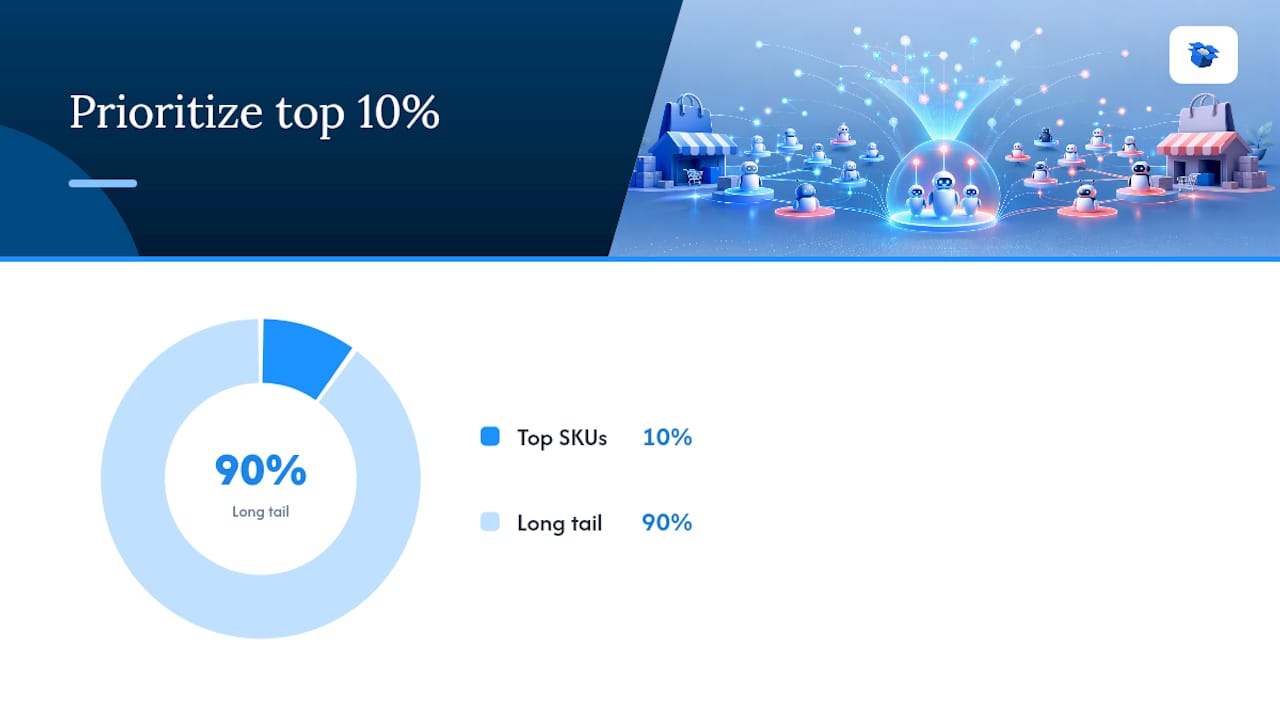
Pro Tip: Front-load your revenue SKUs. Fix the top 10% of your catalog by revenue before touching the long tail. Also prompt reviewers with a specific question (“What did you use this for?”) instead of a generic star rating request. Scenario-specific reviews are what an agent actually retrieves.

Common Pitfalls, Controls, and Pro Tips — overview diagram

06

What Simulation-Driven Testing Actually Changes

What Simulation-Driven Testing Actually Changes

Running dozens of product page audits and simulated agent sessions changes how you think about “winning” a listing. The instinct is to write better copy. The reality is that most losses trace back to a missing field in a schema block nobody checked in eight months.

An approach that runs each listing through simulated agent sessions before anything goes live, then publishes fixes back to Shopify or WooCommerce in one step instead of a multi-week developer ticket, can help merchants improve AI-driven visits and downstream sales once the gaps get closed.

— Xhurian

07

Run Your First A/B Test With Ecentic

Run Your First A/B Test With Ecentic

Some platforms turn the workflow above into a tool you can run quickly. They simulate your listings against ChatGPT, Gemini, Claude, and Perplexity, explain in plain English why a competitor’s listing won a comparison, and write the fix back to Shopify or WooCommerce with one click—no developer ticket or waiting on a template deploy.

Ecentic

Instead of manually checking priceValidUntil or merchantReturnDays across your catalog, you get a diagnostic that flags exactly which agent-critical fields are missing, then an auto-optimization pass that fixes them. Ongoing rescans track whether your selection rate with each agent is climbing after every change, so you’re not guessing whether a fix worked. Start with a free scan, pick three SKUs that drive real revenue, run the simulation, and publish the winning variant. Plans start at $14.90 a month on the Compete tier, with Scale and Dominate available as your catalog and ambitions grow.

08

Sources

Sources

  • How AI agents make purchasing decisions — Columbia Business School
  • PDP optimisation for AI agents: schema, crawlers, protocols | Sellarix
09

FAQ

FAQ

How Long Does an AI Agent A/B Test Take?

A simulation cycle can run in a day or two once your variants are built, since it doesn’t depend on live traffic volume. Live validation takes longer, typically two to four weeks, because agent referral sample sizes are still small for most stores.

Do I Need Developer Resources to Run These Tests?

You need someone who can edit JSON-LD and feed data, but a platform like ecentic removes most of the manual coding by diagnosing gaps and publishing fixes directly to Shopify or WooCommerce.

Which Schema Fields Matter Most for AI Agents?

Offer.priceValidUntil, ShippingDeliveryTime.deliveryTime, and MerchantReturnPolicy.merchantReturnDays are the three fields audits find missing most often, even on stores with otherwise solid Product schema, according to Sellarix’s audit.

Can I Test Different Product Variants for Different AI Models?

Yes, and you should. Simulations show model-specific preferences, meaning a variant that wins with one agent may lose with another, so testing against at least two models before rolling out live is worth the extra step.

What Does Ecentic Cost?

Ecentic’s Compete plan starts at $14.90 per month, with Scale at $44.90 and Dominate at $149, plus a performance fee option of 3% per AI-attributed order for pay-as-you-go pricing. A free scan is available before committing to a plan.

machine learning A/B testsoptimizing AI modelstesting AI algorithmsAI experiment validationA/B testing metricsevaluate AI performanceA/B testing strategiesdata-driven AI decisionsA/B testing best practicesAI user experience testinga/b testing for aiA/B testing in machine learning
Back to blogGet started

Guides and research on winning AI shopping agents.

Get picked by AI

Ready to be the product agents recommend?

Install free on Shopify or WooCommerce and see your AI score in minutes.

Install on ShopifyInstall on WooCommerce
ecentic

Win every AI shopping agent's cart.

Built for the agent economy
Product
  • Features
  • How it works
  • Pricing
  • Product Listings
Platforms
  • Shopify
  • WooCommerce
  • Enterprise
Resources
  • Developer docs
  • API reference
  • Resources
  • Blog
  • Compare
  • UCP Validator
  • UCP Playground
  • Book a demo
Company
  • Support
  • Privacy policy
  • Terms of service

© 2026 ecentic. All rights reserved.

Made for merchants who refuse to be invisible to AI.